
4 active Bigcommerce.com to compare
Save 10% onYour Online Store
Build your dream online shop with BigCommerce and save 10% on any plan. Use their powerful tools to easily manage your inventory, boost your sales,...
Click to copy & open the website
30% Off Ends Monday!
Get 30% off at BigCommerce. Use code at checkout. Help Puerto Rico dogs with purchase. Ends Monday.
Click to copy & open the website

About BigCommerce
https://www.bigcommerce.com/BigCommerce Storefront Savings Snapshot
This quick-reference panel highlights the latestpromotional offers for your online store setup. Our editors currently list 4 active entries, featuring the top deal as thenewest option. We update these listings regularly, with the most recent check completed on 19/06/2026. Use this snapshot to compare available discounts, verify plan requirements, and securethe best rate for your e-commerce subscription before completing your checkout.Promotion summary
- Running: 4
- Best promotion: 30% off
- Try it: Save 10% onYour Online Store
- Category: Website Builder, Theme and Plugin
- Last updated: 19/06/2026
TurnWordPressIntoa Powerful Online Store
IntegrateBigCommerce withyourWordPress site foraseamless headless commerce experience,transforming itinto a fullycapableonline store with ease.
Click to visit the website
Score Up To 6 Months Free
Grow your business with BigCommerce Enterprise and enjoy up to6 months free. Benefit from scalable storefront features, dedicated support, and a fa...
Click to visit the website
How to use BigCommerce coupons
Preparing your online storefront for launch requires a quick pause at checkoutto make sure your selected promotion is applied correctly.
- Select your preferred subscription plan and proceed to the payment details section where the promotional field is located.
- Carefully enter the codeexactly as shown on our page, paying close attention to capitalization and spacing.
- Verify that the final cart total reflects the discount beforeyou submit your payment details to complete the setup.
What to do when a BigCommerce coupon does not work
If your promotional discount does not appear in your cart, a fewsimple checks can help resolve the issue before you complete your purchase.
- Double-check the eligibility requirements to ensure your selected plan tiermatches the specific terms of the active offer you want to use.
- Verify that you have entered the code correctly without any accidental spacesor typos that might cause the system to reject it.
- Confirm whether the promotion is restricted to new store owners or ifit applies to renewals and upgrades for existing accounts.
Current BigCommerce coupons worth comparing
Use this summary table to compare the main coupons services from bigcommerce.com. The table includes 4 active offers, highlights offers related to Website Builder or Theme and Plugin if any, and shows the current best verified discount of 30% off, along with the latest coupon: Save 10% onYour Online Store.
| Promotion | Offer details | Code type |
|---|---|---|
| 10% Off | Save 10% onYour Online Store | Coupon |
| 30% Off | 30% Off Ends Monday! | Coupon |
| Hot Deals | TurnWordPressIntoa Powerful Online Store | Sales |
| 6Mo Free | Score Up To 6 Months Free | Services |
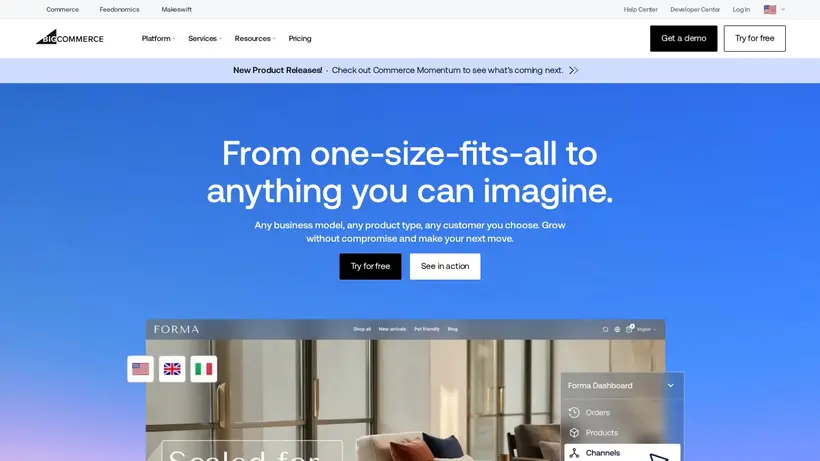
How to Navigate BigCommerce Offers for Your Website Builder
Building an online storefront often comes with unexpected coststhat can quickly accumulate during the setup phase. As you compare different subscription tiers on the platform, you might feel a bit of cart-total anxiety when calculating the monthly overhead. Choosing between the Standard, Plus, Pro, or Enterprise plans requires balancing your current salesvolume against the features you actually need, such as advanced filtering, custom SSL certificates, or real-time carrier shipping rates.Our editorial team curates these listings to help you find a clear path to savings without compromising on the tools necessary to run your business. We analyze the available promotions so you can make a calculated decision before committing your budget.
When you look at the current options on our page,you will find promotions ranging from percentage discounts to multi-month free trials for larger setups. The goal is to match the right offerto your specific stage of business growth. A small business starting out with basic inventory has different requirements than an established retailer migrating from anotherplatform who needs robust multi-channel syncing. Taking a few minutes to plan your subscription strategy now can prevent overpaying later. Byunderstanding the differences between a simple promotion and a specific checkout code, you can navigate the signup process with confidence and keep your initial launchexpenses manageable.
When to compare 30% off before checkout
Imagine you have spent hours configuringyour new store design, setting up product feeds, and preparing your payment gateways. You reach the final step of the signup process and see the subscription total. This is where hesitationsets in. Should you opt for the monthly billing or commit to an annual term? Often, the larger discounts, like a 30% off offer, are tied to specific billing cycles or plan levels. If you are planning for the long haul, lockingin an annual rate usually yields the lowest average monthly cost, but it requires a larger upfront payment. Our editors recommend calculating theyearly total for both options to see if the upfront discount outweighs the flexibility of monthly payments.
Before you enter yourpayment details on the checkout page, review the terms of the promotion carefully. Some listings might apply only to new store owners, while others might target specific integrations, suchas headless commerce setups for WordPress. Our editors suggest keeping a close eye on the checkout summary to ensure the discount is active. Ifthe discount does not apply immediately, double-check if your selected plan tier matches the requirements of the offer. This simple step ensuresyou do not accidentally commit to a higher rate than expected, saving you the hassle of contacting customer support later to adjust your billing terms.
How our Save 10% onYour Online Store listing can help shoppers
For rapidly growing brands, theEnterprise tier offers dedicated support, scalable storefront features, and advanced scaling tools. However, the transition to enterprise-grade softwarecan feel like a massive financial leap for a growing business. That is where our listing for the Save 10% onYour Online Store promotionbecomes highly relevant. By utilizing these curated deals, businesses can test the waters of a higher tier with reduced financial risk during the criticallaunch phase. This allows you to leverage robust tools to manage your inventory and drive sales growth without immediately absorbing the full cost of anenterprise subscription.
We update our page regularly to reflect the most current opportunities available for online merchants. While we donot manage the subscriptions or guarantee specific uptime, we aim to provide clear, editorial guidance so you can make an informed decision. Comparethe active listings, select the one that aligns with your projected sales volume, and apply it carefully during the signup process to maximize yourbudget. Taking these extra steps helps ensure that your e-commerce venture starts on solid financial footing.
Frequently asked questions about BigCommerce
Finding the right plan for your online storefront involves understanding how different promotions apply to your subscription. Our editors have compiled answers to common questions about using deals on BigCommerce to help you navigate the checkout process.Whether you are looking to integrate with WordPress or scale an enterprise setup, these details will clarify how to manage your billing and maximize yoursavings before you finalize your purchase. Review these tips to ensure you get the best value for your business.
Can I use multipleoffers together?
Do promotions apply to renewals?
How do I apply a code?
Is there a free trial available?
What if my code does not work?





