6 active Cheapvps.co to compare
Just €3.5 – Get5% Off High-Speed Forex VPS
Tradefaster with CheapVPS.co'sultra-responsiveForex VPS,startingfrom just€3.5/mo.Grab5% off fora limited time andpowerup your trading withrock-soli...
Click to copy & open the website
Robust Email VPS Starting At €12/mo
Deploy high-performance mail servers at CheapVPS.co for just €12/mo. These reliable virtual environments offer the flexibility andstability require...
Click to visit the website

About Cheap VPS
https://cheapvps.coCheap VPS Hosting Overview
This sidebar provides a quick snapshot of the active promotions curated by our editors, including the Great price: from €3.5 and the latest coupon details. We update these listings regularly, with our last check completed on 22/06/2026. Use this reference panel to compare current offers, review plan specifications, and find active discounts before you proceed to checkout for your next virtual private server.Promotion summary
- Running: 6
- Best promotion: from €3.5
- Try it: Just €3.5 - Get5% Off High-Speed Forex VPS
- Category: VPS Hosting
- Last updated: 22/06/2026
High Performance Forex VPS From €5/mo
Optimize your trading execution with low latency ForexVPS solutions from CheapVPS.co starting at just €5/mo. Experience superior stability and ligh...
Click to visit the website
Unmanaged VPS Powerfor€3.50/mo
Takefullservercontrol with CheapVPS.co unmanaged VPS plans atjust€3.50/mo. High-speed performance,totalflexibility, and seriousvalue.Perfectfor sca...
Click to visit the website
Robust Windows VPS Starting At €7.50
Supercharge your database projects with high-performance MSSQL Windows VPS hosting at CheapVPS.co. Plans start at only €7.50/mo. Prices change dail...
Click to visit the website
High Speed VPS From €9.75 Monthly
Get reliableperformance with our robustProxy VPS plans starting at just €9.75 per month. Enjoy seamless speed and stability for your projectswith t...
Click to visit the website
How to get promotions from Cheap VPS
Follow these simple steps to ensure your promotional discount is applied correctly before you finalizeyour hosting order on Cheap VPS.
- Copy the active code from our listing page and keep it ready on your clipboardbefore navigating to the configuration screen.
- Paste the copied code into the designated promotional field during the checkout process and click apply to update your cart.
- Verify that the final price reflects the expected discountbefore you enter your payment details and complete the server purchase.
What to do when a Cheap VPS offer cannot be applied
If your promotional offer does not apply as expected at checkout, use these troubleshooting steps to resolvethe issue quickly.
- Check the specific terms of the deal to confirm that your selected VPS configuration meets the minimum RAM or operating system requirements.
- Verify that you have entered the code exactly as shown, ensuring there are no extra spaces before or after the characters.
- Clear your browsercache or open a new private window before attempting to apply the discount again on the checkout page.
Current Cheap VPS offers worth comparing
Use this summary table to compare the main offers services from Cheapvps.co. The table includes 6 active offers, highlights offers related to VPS Hosting if any, and shows the current best price of Great price: from €3.5, along with the latest offer: Just €3.5 - Get5% Off High-Speed Forex VPS.
| Promotion | Offer details | Code type |
|---|---|---|
| Just €3.5 | Just €3.5 – Get5% Off High-Speed Forex VPS | Coupon |
| From €12 | Robust Email VPS Starting At €12/mo | Services |
| From €5 | High Performance Forex VPS From €5/mo | Services |
| Just €3.50/mo | Unmanaged VPS Powerfor€3.50/mo | Services |
| From €7.50 | Robust Windows VPS Starting At €7.50 | Services |
| From €9.75 | High Speed VPS From €9.75 Monthly | Services |
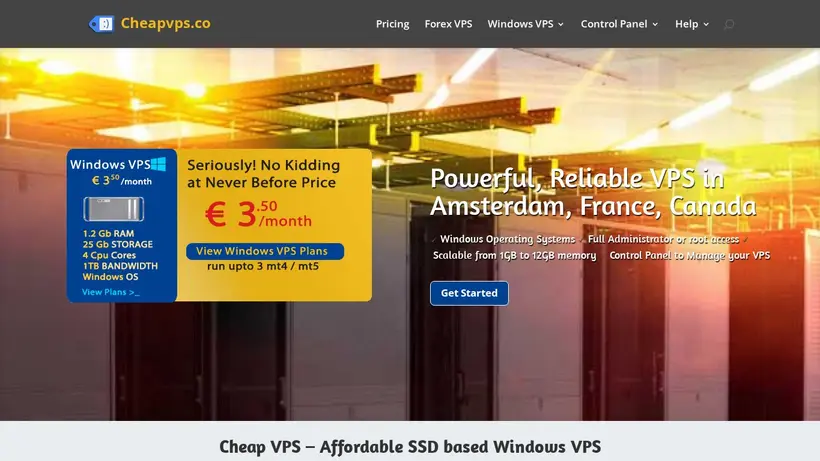
Cheap VPS Savings Guide for VPS Hosting
Selecting the right virtual private server requires balancing performance demands against monthly operatingcosts. When you browse the active listings on our page, you will find options tailored for specific use cases, from low-latency tradingsetups to dedicated email environments. The provider offers unmanaged virtual machines, which means you receive full root access and complete control over your operating system, butyou also assume responsibility for configuration and maintenance. Before selecting a plan, it is wise to evaluate your technical comfort level.If you are prepared to manage your own server, these unmanaged options provide excellent value, but if you require hands-on technical support for software installation, you might need to budget for external administrationhelp.
Our editorial team keeps a close watch on the latest promotions to help you secure the best possible rate at checkout.We regularly update our listings to reflect active deals, such as the current Just €3.5 - Get5% Off High-Speed Forex VPS. As you prepare to configure your virtual machine,take a moment to review the available specifications, including SSD storage and scalable RAM options. Choosing the correct resource allocation from the start prevents the hassle of migrating data later,and aligning your choice with our curated listings ensures you do not pay more than necessary for your infrastructure.
How to choose between Windows and Linux configurations
One of the first decisions you will face during checkout on Cheap VPS is selecting your operating system. The provider offersrobust Windows VPS options starting at competitive rates, which include full Windows Remote Desktop access. This is particularly beneficial for database projects using MSSQL orapplications that require a native Windows environment. However, Windows licenses typically add to the baseline cost compared to Linux distributions. If your applications can run on open-sourcesoftware, opting for a Linux setup is a straightforward way to keep your monthly bill as low as possible. Shoppers often experience cart-total anxiety whenthey see the licensing fees added at the final step, so deciding on your operating system requirements beforehand helps you establish a realistic budget.
For traders, the low-latency Forex VPS plans are specifically optimized to ensure rapid execution times for automated strategies. These plans are designedto minimize connection delays to major financial hubs, which is critical when market conditions change in milliseconds. When comparing these specialized setups againststandard unmanaged instances, consider whether the potential performance gains justify the slightly higher starting price. Our editors suggest reviewing the specific requirements of your trading platform beforecommitting to a plan, as choosing the right tier ensures your automated scripts run without interruption while utilizing the best available promotion.
Maximizing value with unmanaged server control
Because these servers are unmanaged, the provider includes a comprehensive customerportal that gives you full control over your virtual machine. Through this panel, you can start, stop, reboot, or completelyreinstall your operating system with a single click. This self-service model is what allows the brand to keep prices low, butit also means you must be comfortable troubleshooting network configurations and security policies on your own. If you encounter an issue, thecustomer portal provides console access and IP management tools to help you regain control. Understanding these features before you complete your purchase ensures you can manage your deployment effectively without relying on external support channels.
Before you finalize your order and apply any promotional codes, double-check the billing cycle you have selected.Many hosting providers offer deeper discounts for longer billing terms, but this requires a larger upfront commitment. If you are testing a new project, startingwith a monthly term might be the safer move, even if the monthly rate is slightly higher. Once you are confident in the server performanceand stability, you can look for opportunities to lock in longer-term savings. Always review the final cart total on the checkout page to confirm thatthe expected promotional rate has been applied correctly before submitting your payment information.
Frequently asked questions about CheapVPS.co
Finding the right virtual private server involves understanding both the technical specifications and the billing terms. Our editors have compiled answers to the most common questions shoppers ask when browsingdeals for Cheap VPS. Whether you are looking for details on unmanaged server control, operating system choices, orhow to apply a promotional offer, this guide helps you navigate the checkout process with confidence. Review these details to ensure you select the most cost-effective plan foryour project.
What is included in the unmanaged plans?
Can I choose my operating system?
How do I apply a promo code?
Are there specialized servers for trading?