
5 active Ecommercetemplates.com to compare
Build Your Online Store For $159
Launch your professionalonline store or integrate a powerful shopping cart into your existing website for just $159 at EcommerceTemplates.com. Gett...
Click to copy & open the website
Power Your WordPress Store for $229
Upgrade your WordPress sitewith a robust, scalable shopping cart from EcommerceTemplates.com for a single $229 payment. Experience a reliable, prof...
Click to copy & open the website

About Ecommerce Templates
https://www.ecommercetemplates.comEcommerce Templates Shopping Cart Overview
Our editorial team monitors active offers for Ecommerce Templates to help you find the best price on shopping cart software. This quick-reference panel displays the latest license options, including WordPress integrations and responsive templates. Review the current listings, check the update date, and compare features before visiting ecommercetemplates.com to complete your purchase. We track these details to simplify your shopping decisions.Promotion summary
- Running: 5
- Best promotion: from $159
- Try it: Premium Responsive Shop Layouts For $349
- Category: Theme and Plugin
- Last updated: 19/06/2026
Premium Responsive Shop Layouts For $349
Upgrade your EcommerceTemplates store with premium responsive designs for just $349. Get elite features like mini carts, side filters, and CSS widg...
Click to visit the website
Stunning Responsive Store Designs For $229
Upgrade your online store with responsive designs thatfluidly adapt to any screen resolution. Ensure a flawless user experience across desktops, ta...
Click to visit the website
Build Your Dream Store For Just $229
Turn your favorite WordPressblog into a beautiful online store with ease. Our seamless integration adds all the essential shopping cart features di...
Click to visit the website
How to get promotions from Ecommerce Templates
Follow these simple steps to apply an offer code correctly when purchasingyour shopping cart software license on the official ecommercetemplates.com checkout page.
- Select the correct template version for your server environment and click the buy button to addthe license to your shopping cart.
- Locate the designated coupon code field on the checkout page before entering your payment details toensure the discount is applied.
- Copy the active code from our page and paste it into the field, then verify the updatedtotal before completing your transaction.
What to do when a Ecommerce Templates offer cannot be applied
If you experience issues with your shopping cart setup or checkoutprocess, use these troubleshooting steps to resolve the problem quickly.
- Check that your store admin email address uses the exact domain ofyour website, as external addresses are often blocked by hosts to prevent spam.
- Test the CDONTS email object in your admin panel first, as other email objects requiremanual SMTP server configuration to send messages successfully.
- Verify that you have selected the correct template format, either PHP or ASP, tomatch the operating system of your active web hosting server.
Current Ecommerce Templates offers worth comparing
Use this summary table to compare the main offers services from Ecommercetemplates.com. The table includes 5 active offers, highlights offers related to Theme and Plugin if any, and shows the current best price of Great price: from $159, along with the latest offer: Premium Responsive Shop Layouts For $349.
| Promotion | Offer details | Code type |
|---|---|---|
| Just $159 | Build Your Online Store For $159 | Coupon |
| Just $229 | Power Your WordPress Store for $229 | Coupon |
| Just $349 | Premium Responsive Shop Layouts For $349 | Services |
| Just $229 | Stunning Responsive Store Designs For $229 | Services |
| Just $229 | Build Your Dream Store For Just $229 | Services |
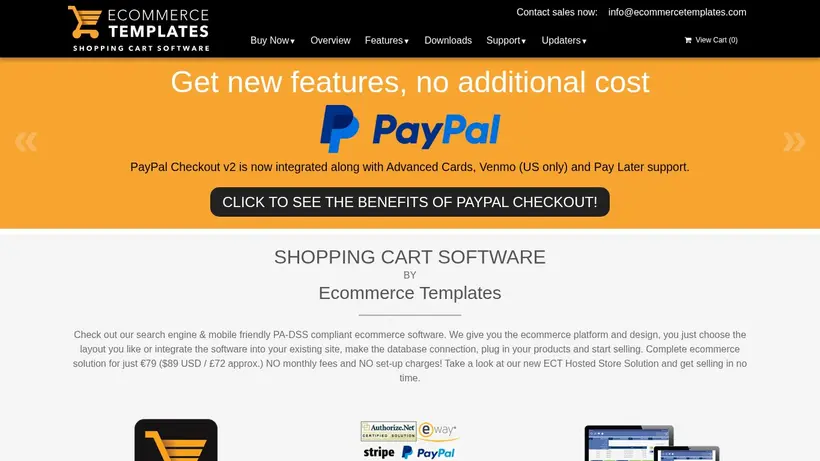
Ecommerce Templates Savings Guide for Theme and Plugin
Building an online storefront requires balancing software capabilities with setup costs. When developers look at the shoppingcart software from Ecommerce Templates, they often face decisions about platform compatibility, responsive design layouts, and license fees. Our editorialteam monitors these listings to help you navigate the checkout process. Whether you are setting up a standalone PHP site or integrating a shopping cartinto an existing WordPress blog, understanding how these licenses are priced can prevent unexpected expenses. Selecting software is only the first step; understandingthe license terms, database requirements, and server compatibility is crucial for a successful deployment. We track the latest offers so you can compare the one-time license fees against yourproject budget before committing to a purchase.
Choosing the right template or plugin involves analyzing the specific features your store needs, such as responsive designs thatadapt to mobile screens or advanced widgets like mini carts and side filters. As you browse the available options on ecommercetemplates.com,you might hesitate at the checkout screen, wondering if a specific promotion applies to your selected build. Our guide aims to clarify these choices, highlighting how to evaluate different license tiers and avoid common configuration mistakes during setup. By planning your integration steps early, youcan ensure a smoother launch for your digital storefront.
How to evaluate Great price: from $159 for your platform integration
When reviewing the pricing options on ecommercetemplates.com, developers must choose between different integration types. The brand offers specific builds for WordPress, ASP, and PHP environments. For instance, the WordPress shopping cart integration is listed at a one-time payment of $229, which allows youto add complete ecommerce functionality to your existing theme. If you are building a site from scratch, the standard templates start at$159. Shoppers often experience cart-total anxiety when deciding whether to purchase a basic layout or invest in premium responsivedesigns that cost $349. These premium options include advanced features like side filters and CSS widgets, which might save you developmenttime later. A quick pause to review the features included in the $159 build versus the $229 WordPressversion can save you from purchasing unnecessary add-ons later. Before you click the checkout button, compare these upfront costs against the time it would take to code these featuresmanually.
It is also important to consider the long-term hosting environment when selecting your software. The ASP templatesare designed for Windows servers, while the PHP versions are built for Linux or cross-platform hosting. If you choose the wrong versionduring checkout, you may face delays during the installation process. Our editors suggest verifying your hosting server specifications before finalizing the purchase of any software subscription. Thissimple check ensures that the template files you download will run correctly on your server. Additionally, keep in mind that while the initial license is a one-time fee,future updates or add-ons might carry separate terms, so reviewing the checkout details carefully is always a smart developer practice.
Resolving setup issues and verifying your Premium Responsive Shop Layouts For $349 purchase
After completing your purchase on ecommercetemplates.com, setting up the template requires careful attention to server configurations, particularly regarding email functionality. Crawled help documents from the brandindicate that email delivery issues are a common hurdle for new setups. To prevent spam, most hosting providers require that the email address configuredin your store admin section matches the actual domain of your website. For example, if your store runs on a specific domain, youradmin email must use that same domain rather than a generic third-party address. If you experience issues sending order confirmations or customer notifications, logging into your admin panel and verifying this email setting is the recommended first step.
Furthermore, the brand's documentation notes that different servers require specific email objects to function. On Windows servers, the CDONTS object is often theeasiest to try first because it typically requires no extra configuration. If you use other objects like CDO, you must specify the correctSMTP server settings, such as localhost or a specific IP address, in your admin main page. If you are testing the store setupon a local machine, you do not need to worry about email configurations until the site is uploaded to a live, properly configured mailserver. If email issues persist after checking these settings, the brand recommends uploading a test script to verify if your host supports ASP orPHP mail delivery before contacting their support team with your FTP details. Taking these technical steps into account before launching helps ensure that your customercommunication flows smoothly from day one.
Frequently asked questions about EcommerceTemplates
Finding the right shoppingcart software for your website requires understanding the integration process and server requirements. Our editors have compiled answers to common questions about purchasing and settingup templates from Ecommerce Templates. We analyze the available licenses, platform compatibility, and common configuration steps to help you make aninformed decision. Before you complete your purchase on ecommercetemplates.com, review these details to ensure you select the correct version for yourhosting environment and avoid common setup mistakes.
What templates does Ecommerce Templates offer?
Why are store emails not sending?
How do I choose between ASPand PHP?
Are there responsive design options?





