3 active Fadehost.com to compare
Professional Web Hosting From $2.00 Monthly
Deploy your next digital project with high-performance webhosting from FadeHost.com. Secure reliable servers and professional development tools sta...
Click to visit the website
Score Premium VPS From $20/mo
Upgrade your web projects with FadeHost's reliable VPS hosting plans. Get top-tier performance, full root access, and robust security starting at j...
Click to visit the website

About Fade Host
https://fadehost.com/Fade Host Quick Reference Panel
This quick-reference panel provides a snapshot of the latest hosting promotions availablefor fadehost.com. Our editors regularly update this section to highlight the best deal, current active offers, and recent update dates. Use thissidebar to compare plan options, verify active listings, and ensure you are getting the most value before proceeding to checkout. It serves as a convenient guide for your hostingdecisions.Promotion summary
- Running: 3
- Best promotion: from $2
- Try it: Professional Web Hosting From $2.00 Monthly
- Category: Game Server, VPS Hosting
- Last updated: 21/06/2026
Build Your World From $2.49/mo
Bringyour creative Minecraft visions to life with reliable hosting from FadeHost. Starting at just $2.49/mo, ourplans provide the perfect foundatio...
Click to visit the website
How to get promotions from Fade Host
Follow these simple steps to ensure your selected promotion is correctly applied to your hostingorder before you complete your payment.
- Select your desired hosting plan on fadehost.com and configure your server resources, such as RAM and storage, to fit your project.
- Look for the promotional code field on the checkout page and enter any active code exactly as shown on our page.
- Verify that the discount is reflected in your final cart total before submitting your paymentdetails to complete the transaction.
What to do when a Fade Host offer cannot be applied
If your promotional discount does not appear in your cart, review these common troubleshooting steps toresolve the issue quickly.
- Check the specific requirements of the offer, as some promotions only apply to new customers or specific billing cycles likeyearly plans.
- Ensure that you have not added conflicting resource upgrades or extra nodes that might disqualify your order from the active promotion.
- Try clearing your browser cache or opening the checkout pagein an incognito window to ensure the discount code applies correctly.
Current Fade Host offers worth comparing
Use this summary table to compare the main offers services from Fadehost.com. The table includes 3 active offers, highlights offers related to Game Server or VPS Hosting if any, and shows the current best price of Great price: from $2, along with the latest offer: Professional Web Hosting From $2.00 Monthly.
| Promotion | Offer details | Code type |
|---|---|---|
| Just $2.00/mo | Professional Web Hosting From $2.00 Monthly | Services |
| Just $20/mo | Score Premium VPS From $20/mo | Services |
| From $2.49 | Build Your World From $2.49/mo | Services |
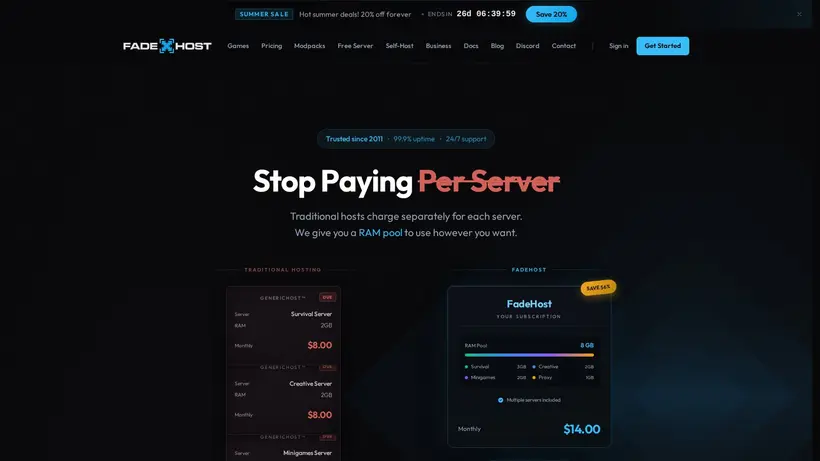
Fade Host Savings Guide for Web Hosting
Finding the right balance between server performance and monthly cost can be a challenge, especially when launching a new community project, settingup a development environment, or hosting a personal website. At our editorial site, we track the latest promotions for Fade Host to help you navigate their hosting options without overspending. The provider offers a variety of services, ranging from budget-friendly web hosting to customizable Minecraft servers and virtualprivate servers. By understanding how their configuration options, resource add-ons, and billing cycles work, you can make an informed decision before completing your purchase.Our goal is to guide you through the selection process so you can secure the best possible value for your specific hosting needs.
When you browse theavailable promotions on our page, you will find options like the Professional Web Hosting From $2.00 Monthly listing. These entries are curated by our team to give you a clear startingpoint for your shopping journey. However, the final price you pay depends heavily on the specific resources you select during checkout,such as memory limits, storage capacities, and billing cycles. Taking a few minutes to plan your resource needs beforehand can prevent unexpected costs when you reach the payment screen.It is always wise to compare the base plans against the cost of individual upgrades to see which path offers the most economical setup for your project.
How to evaluate resource add-ons and server configurations
The provider offers a flexible pricing structure,particularly for their managed Minecraft servers. The base server slot starts with 1GB of RAM and 30GB of storage, which includes daily backups and DDoS protection. While the entry-level price is highly competitive, many server administrators quickly realize they need more power to run large modpacks or accommodate more players. On the configuration page, you can add extra RAM in 1GB increments or expand your storage pool.Each of these additions carries a small monthly fee, which can quickly accumulate if you are not careful. We suggest starting with the minimum required resources andscaling up only as your active player base grows, which keeps your initial investment low. This step-by-step scaling approachensures you do not pay for idle resources during the early stages of your project.
Additionally, you may encounter options for extra nodes or automation packsduring the setup process. An extra node is useful if you are setting up a network of servers using BungeeCord or Velocity, while the automation pack allows you to schedule commands, restarts, and custom triggers. If you are running a simple server for a few friends, you can likely skip these add-ons to save money.Carefully review each line item in your cart to ensure you are only paying for the features your project immediately requires. Taking a moment to deselect unnecessary add-ons before proceeding to the payment page is a simple way to keep your hosting bill within your budget.
Choosing the right billing cycleand comparing plans
Another effective way to manage your hosting expenses is by selecting the optimal billing cycle. Theprovider typically offers monthly and yearly payment options, with the yearly plans sometimes including incentives like two months free. If you are committed to a long-termproject, prepaying for a year can offer significant savings compared to paying month-to-month. However, if you are testing a new concept or running a temporary game server,the monthly option provides the flexibility to cancel without a large upfront commitment. Always check the renewal terms, as promotional rates may apply only to the first billingcycle, and standard rates will apply thereafter. Understanding these billing terms helps you avoid surprises when your subscription automatically renews.
Before you click the link to open the active deal, take a moment to compare the different hosting categories. If your primary goal is hostinga portfolio or a small business website, the standard web hosting plans starting at a low monthly rate are generally sufficient. For resource-intensive applications or custom software configurations, upgrading to a VPS hosting plan with full root access is the safer move. By matching your project requirements to the correct plan type, you avoid paying for excess capacity that you do not use. Our editorial team recommends reviewing the specifications of each tier to ensure your chosen plan supports the databases, bandwidth, and security features your site demands.
Frequently asked questions about FadeHost
Navigating hosting plans and server configurationscan raise several questions, especially when trying to secure the best value for your project. Our editorial team has compiled answers to the most common questions aboutordering services from Fade Host. Whether you are setting up a Minecraft server or launching a website, understanding how promotions, resource upgrades, and billing cycles work can help you make theright choice. Review these details to ensure a smooth checkout experience on fadehost.com.
Does the provider offer Minecraft hosting?
Can I upgrade my server resources later?
Are backups included with the hosting plans?
How do I get two months free?
What is the automation pack?