3 active Grammarly.com to compare
Elevate Team Writing From $12.50/mo
Help your small team of 1 to 10 members shine with the Grammarly Business Plan. Starting at just $12.50/mo, you can easily ensure polished, profess...
Click to visit the website
Scale Your Business For $595/mo
Upgrade your team's communication with Grammarly's Business Plan. Starting at only $595/month for 51+ members, this plan helps secure your success ...
Click to visit the website
About Grammarly
https://www.grammarly.com/Grammarly Plan and Promotion Overview
This quick-reference panel highlights the latest subscription options for Grammarly, including business plans starting at $12.50monthly. Our editors update these listings regularly, with the most recent check completed on 21/06/2026. Use this snapshot to compare active promotions, verifycurrent pricing tiers, and select the best offer for your writing needs before visiting the official site to complete your purchase.Promotion summary
- Running: 3
- Best promotion: from $12.5
- Try it: Elevate Team Writing From $12.50/mo
- Category: Online Service
- Last updated: 21/06/2026
Support Your Team From $132.92 Monthly
Help your team write better with Grammarly's professionaltools. Get a Business Plan for 11 to 50 members starting at only $132.92 per month. Keep a...
Click to visit the website
How to get promotions from Grammarly
Follow these simple steps to ensure you apply our editorial listings correctly andsecure the best available rate for your writing plan.
- Select the promotion on our page that matches your team size and click the link to open the official brand website.
- Choose the appropriate business or individual plan tier and proceed to the checkout page to review your selected subscription terms.
- Verify that the promotional pricing is reflected in your final cart total before entering yourpayment details to complete the purchase.
What to do when a Grammarly offer cannot be applied
If you encounter any issues while trying to secure your promotional rate, these troubleshooting stepscan help resolve the problem quickly.
- Confirm that your team size matches the specific requirements of the selected offer, as pricing tiers are strictly bound to membercounts.
- Clear your browser cache and cookies or try using an incognito window if the promotional pricing fails to appear on the checkoutpage.
- Double-check the billing cycle you selected, as some promotions are only valid for annual subscriptions rather than monthly billing options.
Current Grammarly offers worth comparing
Use this summary table to compare the main offers services from Grammarly.com. The table includes 3 active offers, highlights offers related to Online Service if any, and shows the current best price of Great price: from $12.5, along with the latest offer: Elevate Team Writing From $12.50/mo.
| Promotion | Offer details | Code type |
|---|---|---|
| From $12.50 | Elevate Team Writing From $12.50/mo | Services |
| Just $595/mo | Scale Your Business For $595/mo | Services |
| From $132.92 | Support Your Team From $132.92 Monthly | Services |
Grammarly Savings Guide for Online Service
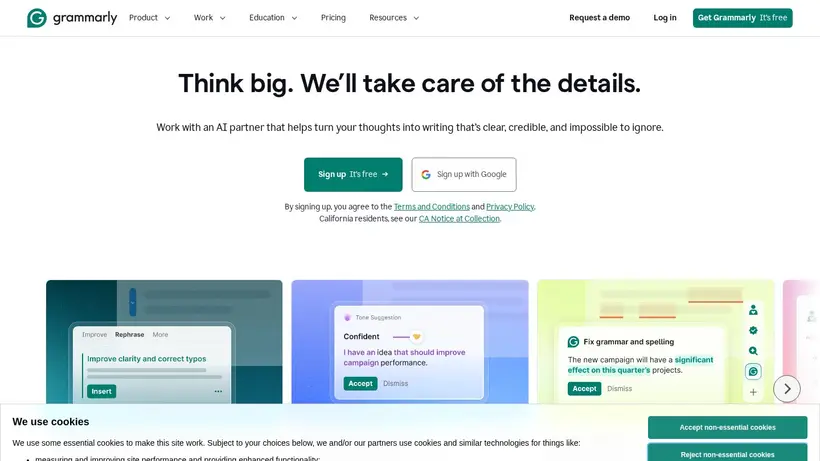
Navigating the world of digital writing assistants canfeel overwhelming, especially when you are trying to balance team productivity with a tight budget. When you look at the options available for Grammarly,it is helpful to understand how their subscription tiers are structured. The brand offers a free basic version that covers essential grammar and spelling, but teams and professionals oftenrequire the advanced tone adjustments, style guides, and administrative controls found in their paid plans. Our editors track the latest listings tohelp you identify the most cost-effective entry point for your specific writing needs, ensuring you do not pay for more seats or features than your workflow actually demands.
Before committing to a subscription, it is wise to assess your team size and writing volume. The brand provides tailored plans for smallteams of 1 to 10 members, mid-sized groups, and larger enterprises. By analyzing these tiers, youcan avoid the common pitfall of overpaying for unused licenses. We recommend starting with a clear picture of your monthly budget and comparing it against the active promotions listedon our page. This preparation helps ease the hesitation that often comes with upgrading software tools, allowing you to make an informed decision thatsupports your team's communication goals without unexpected costs at checkout.
How to choose the right plan for your team size
When selecting a plan,the number of users is the primary factor influencing your monthly cost. For small teams just starting out, the business plan starts at $12.50 permonth per member, which is designed for groups of 1 to 10 people. This tier provides a solid foundation for polished, professional communication across your organizationwithout a massive upfront investment. If your team is slightly larger, ranging from 11 to 50 members, the pricing structure shifts to a flat rate starting at $132.92 per month. For larger organizations with 51 or more members, the enterprise-level tier starts at $595 per month.Understanding these thresholds is crucial because jumping to a higher tier prematurely can significantly impact your software budget.
It is also worth noting thatthe brand emphasizes security and responsible AI integration. When you upgrade, you are not just paying for advanced grammar checks; you areinvesting in a secure writing partner that safeguards your company's data. The crawled source indicates that organizations deploying these tools save an average of $5,000 per employee annually through improved efficiency and reduced editing time. By aligning your team size with the correct pricing tier and utilizing the active promotions on our page, you can maximize these savings fromday one. Always review the plan details carefully on the official site to ensure the features match your security and collaboration requirements.
Maximizing value before you complete checkout
Before you click the final payment button on the checkout page, take a moment to review the billing terms andsubscription length. Many software providers offer lower monthly rates if you commit to an annual billing cycle rather than a month-to-month plan. While the initial outlay is higher, the long-term savings are often substantial. Our editors suggest calculating the total annual costof both options to see which fits your cash flow better. Additionally, keep an eye out for any specific eligibility requirements attached to the promotions listedon our page, as some offers may be reserved for new customers or specific plan types.
Another practical step is to utilize the free version ofthe writing assistant before upgrading. This allows your team to test the interface, integrate the browser extension, and evaluate the basic AI features withoutany financial commitment. Once your team is comfortable with the tool and you identify a genuine need for advanced features like style guides or centralized billing, youcan confidently transition to a paid plan. When you are ready to upgrade, return to our page to find the Great price: from $12.5 that matches your selected tier.Taking these deliberate steps helps prevent buyer's remorse and ensures you get the most utility out of your investment.
Frequently asked questions about Grammarly
Finding the right writing assistant plan involves understanding the available options and pricing structures.To help you navigate your purchase at grammarly.com, our editors have compiled answers to some of the most common questions shoppers ask. We cover everything from plantypes to billing details, ensuring you have the information needed to make a confident decision. Review these details to learn more about how to select the best plan foryour team and how to verify your savings before completing your checkout.
Does the brand offer a free version?
How does team pricing work?
Can I change my billing cycle later?
What should I do if a deal fails?