
4 active Socialengine.com to compare

About SocialEngine
http://www.socialengine.com/SocialEngine Platform and Service Overview
This overview panel provides a quick snapshotof current offers for SocialEngine, including the cloud platform starting rate. Our editors updated this listing page recently to reflect activepromotions, including a 10% off discount on themes. Use this summary to compare cloud subscriptions with self-hosted services likeinstallations and upgrades, helping you choose the most cost-effective path for building your online community.Promotion summary
- Running: 4
- Best promotion: 10% off
- Try it: Save 10% On All Themes
- Category: Web Tools, Theme and Plugin
- Last updated: 19/06/2026
How to use SocialEngine coupons
Follow these simple steps to apply your promotional offer successfullywhen purchasing community software or professional services on the merchant site.
- Select the appropriate theme or service and add it to your shopping cart before proceeding to the final payment screen.
- Locate the designated promotional field on the checkout page and carefully enter your code to apply the discount to your order.
- Verify that the price reduction is reflected in the final cart total before you submit your payment details to complete the purchase.
What to do when a SocialEngine coupon does not work
If your promotional discount does not apply as expected at checkout, review these common troubleshooting steps to resolve the issue quickly.
- Check theeligibility terms on our page to confirm the code applies to your specific purchase, such as themes rather than professional services.
- Verify that you have entered the code exactly as shown, paying close attention to capitalization and removing any accidental spaces before or after.
- Ensure your hosting server meets the official requirements before purchasing installation services, as compatibility issues can delay the setup process.
Current SocialEngine coupons worth comparing
Use this summary table to compare the main coupons services from SocialEngine. The table includes 4 active offers, highlights offers related to Web Tools or Theme and Plugin if any, and shows the current best verified discount of 10% off, along with the latest coupon: Save 10% On All Themes.
| Promotion | Offer details | Code type |
|---|---|---|
| 10% Off | Save 10% On All Themes | Coupon |
| Just $29 | Create A Thriving Community CloudFor $29/Month | Services |
| Create Your Perfect Online Community | Sales | |
| Build Secure High Converting Communities | Sales |
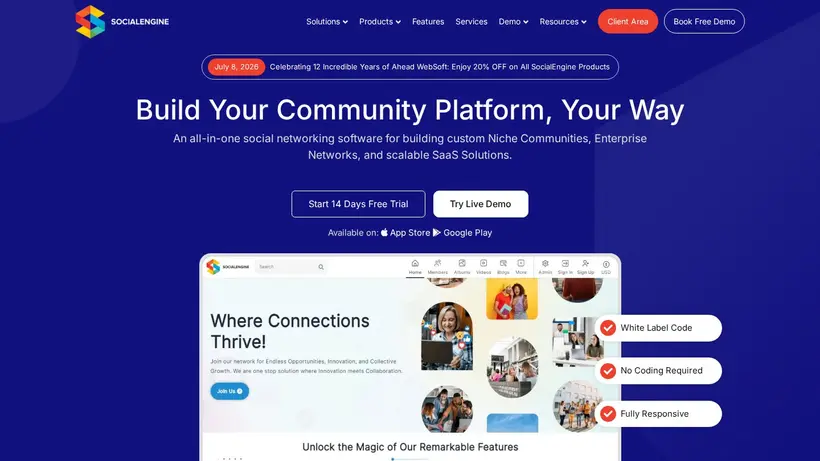
SocialEngine Savings Guide for Web Tools
Launching a dedicated online community involves balancing software subscriptions,hosting requirements, and design elements. When building a social network on socialengine.com, you face choices between cloud-hosted convenienceand self-hosted control. The cloud platform starts at $29/month, offering a quick path to launch without servermanagement headaches. However, if you opt for the self-hosted route, you must factor in server compatibility, installation tasks, and ongoing technical support. Our editors track the latest listings to help you navigate these setup costs, ensuring you find the most practicalpath to launch your platform. By comparing the available promo offers, you can reduce the initial financial barrier of establishing your community.
Before committing to a specific plan or service, it is helpful to outline your technical needs. The brand provides several professionalservices, such as a standard installation service for $30 and customization services at $25 per hour. If you are migrating from an older version, a legacy upgrade service isavailable for $99. These flat-rate services can prevent unexpected development bills later. When you review our coupon page,look for opportunities to apply a discount to your cart. A small saving on a theme pack or a support plan can free up budget for member acquisition and content creation, whichare vital for a new network's growth.
How our Save 10% On All Themes listing can help shoppers
Selecting the right starting point is crucial when deploying community software. The Save 10% On All Themes listing provides an affordable entry point for creators who want to avoid server configurationstress. For $29 a month, this cloud-based option handles the technical heavy lifting, allowing you to focus entirely on member engagement and community guidelines. Ifyou are hesitant about managing databases or configuring PHP settings, this subscription model offers peace of mind. Our team monitors these promotional listingsto ensure you have access to the most current pricing paths. When you choose this route, you bypass the need for separate installation fees, making it a highly predictableexpense for starting projects.
For those who prefer self-hosting, the financial landscape changes. You will need tobudget for server hosting that meets the platform's requirements, and you might require assistance with setup. The brand lists a standard installationservice for $30, which ensures your software is configured correctly from day one. If you run into technical hurdles,a 30-day technical support package is available for $50. By analyzing our listings, you can decide whether thecloud subscription or the self-hosted route with add-on services fits your budget. This comparison helps prevent cart-total anxiety atcheckout, as you can calculate the total cost of ownership before entering your payment details.
When to compare 10% off before checkout
Applying a discount code at checkout requires attention to detail, especially when purchasing software licenses or designassets. For instance, our page lists a 10% off offer that applies to the Theme product line, delivering a straightforwardprice reduction on eligible orders. Before you copy the coupon code, verify which items are in your cart. If you are purchasing customizationservices or payment gateway integrations, such as the CCBill integration service listed at $499, standard promotional codes may not apply. Taking a moment to review theeligibility terms on our page ensures you do not experience frustration during the checkout process.
To maximize your savings, comparethe value of different offers against your planned purchases. If you are buying a theme pack, applying the 10% discount codeis a clear win. However, if you are purchasing a recurring cloud subscription, look for promotional rates that apply to the billing terms. Remember that renewal pricing may differ from the initial checkout price, so factor in long-term costs. By checking our curated listingsbefore you complete your transaction on socialengine.com, you can ensure you are utilizing the most effective offer for your specificcombination of software, themes, and professional services.
Frequently asked questions about SocialEngine
Setting up an online community involves several decisions, from choosing between cloud and self-hosted platforms to selecting the right design themes. To help you navigate the purchasingprocess on socialengine.com, we have compiled answers to common questions about services, support, and promotional offers. Our editors monitorthese details to ensure you have the information needed to make informed decisions. Whether you are purchasing a theme pack or ordering a legacy upgradeservice, these insights will help you manage your budget effectively.
Does the technical support plan auto-renew?
What is the cost of installation services?
Can I get helpwith custom development?
Is there a discount for theme purchases?
What is the price of legacy upgrades?





