3 active Videorobot.io to compare
$5.00 Off – Enjoy $5 Off Your Purchase Today
Treat yourself to some extra savings today. You can easily get $5.00 off your order when you shop using VideoRobot.io coupons at checkout. It is a ...
Click to copy & open the website
Get VideoRobot Lifetime Access $67
Enjoy our seasonal sale andsecure VideoRobot for a simple one-time payment of $67. This offer brings professional video creation tools to your fing...
Click to visit the website

About Video Robot IO
https://www.videorobot.io/Quick Savings Guide for VideoRobot
This sidebar panel offers a quick snapshot of theactive promotions for Video Robot IO, including our best deal of five dollars off. Our editors last updated these listings on 21/06/2026 to ensure youhave access to the newest offers. You can view the live count of available promotions and check for any archive entries to help you plan your software purchase today. Usethis panel to compare options quickly.Promotion summary
- Running: 3
- Best promotion: $5 off
- Try it: $5.00 Off - Enjoy $5 Off Your Purchase Today
- Category: Software
- Last updated: 21/06/2026
Make Professional Videos For Just $37
Unlock the full power of the VideoRobot platform for just $37 per month. Streamline your video production with intuitive tools designed to help you...
Click to visit the website
How to use Video Robot IO coupons
Follow these simple steps to ensure your discount is applied correctly before you finalize your software purchase on the official brand website.
- Copy the coupon code SPECIALfrom our listing page and make sure there are no extra spaces before or after the text.
- Paste the copied code intothe promotional input box on the checkout page before you enter your credit card information.
- Confirm that the final price has decreased to reflect your discount before clicking the buttonto complete your transaction on the site.
What to do when a Video Robot IO coupon does not work
If you encounter an issue while trying to apply a discount, stay calm andreview these common troubleshooting steps to resolve the problem.
- Check if the coupon code you are using is restricted to a specific product like VideoExpress or requires a one-time payment plan.
- Verify that you have entered the code exactly as written, paying close attention to capitalization and ensuring no accidental spaces were added.
- Refresh the checkout page and try entering the code again, or check if the promotion has expired by reviewing our activelistings.
Current Video Robot IO coupons worth comparing
Use this summary table to compare the main coupons services from Videorobot.io. The table includes 3 active offers, highlights offers related to Software if any, and shows the current best verified discount of $5 off, along with the latest coupon: $5.00 Off - Enjoy $5 Off Your Purchase Today.
| Promotion | Offer details | Code type |
|---|---|---|
| $5.00 Off | $5.00 Off – Enjoy $5 Off Your Purchase Today | Coupon |
| Just $67 | Get VideoRobot Lifetime Access $67 | Services |
| Just $37/mo | Make Professional Videos For Just $37 | Services |
Smart Shopping Strategies for Video Robot IO Software Tools
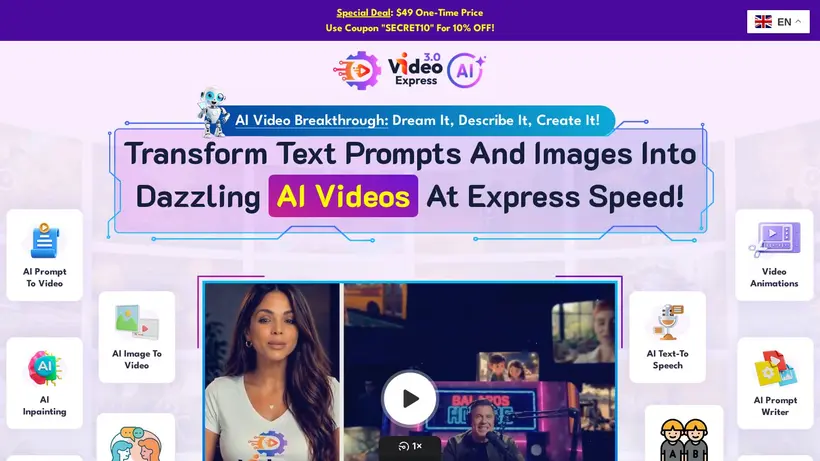
Finding the right tools to bring your creative ideas to life can be an exciting but costly journey. When you are looking to generate AI-driven videos, edit animations, or utilize text-to-speech features, thecosts of software subscriptions can quickly add up. That is why our editors keep a close eye on the offers available for Video Robot IO. The brand offers toolslike VideoExpress, which allows creators to turn text prompts and images into realistic videos without watermarks. By understanding the pricing structures and checkingour active listings, you can make a more informed decision before entering your payment details on the checkout page.
Imagine sitting at your desk,ready to finalize your purchase, only to hesitate at the checkout screen because you wonder if you are paying too much. This common cart-total anxiety is exactly why we compile these promotions. Thecrawled source indicates that Video Robot IO sometimes features special one-time pricing options, such as a $49 one-time feefor VideoExpress, which removes the burden of recurring monthly costs. By comparing these one-time offers against monthly subscription plans, you can determine whichoption fits your long-term budget and creative needs. Our team works to list these opportunities so you can compare them side by side before making a commitment.
Howto evaluate the $5 off for your video projects
When you browse the available promotions on our page, you will find different types oflistings, ranging from percentage discounts to flat-rate lifetime access deals. For instance, our editorial listings show that the brand has previously featureda lifetime access option for $67, as well as monthly access for $37. If you plan to use the software forseveral months, opting for a lifetime plan or a one-time payment option is often the most economical choice. Before you choose, think about your project timeline:will you need these AI video tools for a single campaign, or is this a long-term addition to your workflow? Answering this helps you avoid paying fora subscription you no longer need, saving you money in the long run.
Additionally, the crawled source highlights that certain promotions, like the VideoExpress app, come with a 30-day money-back guarantee. This policy provides a helpful safety net for shoppers who are hesitant about the software's capabilities. If you are unsure whether the AI prompt-to-video or talking photos features will meet your standards, this guarantee allows you to test the platformwith less financial risk. Our editors suggest verifying these terms on videorobot.io during checkout, as refund policies can vary depending on the specific plan or promotionaloffer you select. Taking the time to read the fine print can prevent future headaches if the software does not fit your creative style.
Steps to take before you apply a coupon code at checkout
Applying a discount should be a straightforward process, but small oversightscan sometimes lead to frustration. When you find an offer on our page, such as a specific coupon code like "SPECIAL" or "SECRET10", make sure to copy it exactly as shown to avoid formatting errors. During the checkout process on videorobot.io,look for the designated input field to paste your code. A common shopper mistake is submitting the payment before confirming that the discount has been applied to the total. Alwaystake a brief pause to verify that the price drops before you click the final purchase button, ensuring the deal is active.
It is also wiseto check the the subscription term shown at checkout and eligibility requirements for the offer you want to use. Some discounts are only valid for new customers, while others might requirea specific subscription tier or a one-time payment plan. If you notice that a code does not work, it could be due to these plan-specific restrictions. By reviewing our editorial listings and comparing the active offers, you can find the option that best aligns with your cart contents. Taking these extra stepsensures a smoother checkout experience and helps you secure the savings you expect without unnecessary delays.
Frequently asked questions about VideoRobot
Finding the best value on video creation software requires knowing how the brand structures itsoffers. Our editors have compiled answers to the most common questions shoppers ask when looking for discounts on this platform. We explain how to find activepromotions, what to look for during checkout, and how to ensure you get the best price on your subscription or lifetime plan. Readon to learn how to navigate the checkout process and maximize your savings on your next creative project.
Does the brand offera money-back guarantee?
Can I get a lifetime access plan?
How do I apply a discount code?
What is the cheapest way to start?