8 active Vpsdime.com to compare
Slash 20% Off Linux VPS Plans
Supercharge your projectswith high-performance Linux VPS hosting at VPSDime.com. Grab this exclusive 20% discount today toexperience unmatched spee...
Click to copy & open the website
6GB RAM VPS PlusFreeMySQL at$7/Mo
Geta6GB RAM VPS for$7/month with free MySQLoffload included. VPSDime handlesscalable compute and optimized databasesupport,perfect for test environ...
Click to visit the website

About VPS Dime
http://vpsdime.comVPSDime Hosting Offers at a Glance
This quick-reference panel providesa snapshot of the active promotions for VPS Dime, including the current Slash 20% Off Linux VPS Plans deal. Our editors update theselistings regularly to ensure you see the most accurate pricing for Linux VPS configurations. Use this sidebar to quickly compare the best available discounts,check the last update date, and verify the total number of active offers before proceeding to the checkout page.Promotion summary
- Running: 8
- Best promotion: 20% off
- Try it: Slash 20% Off Linux VPS Plans
- Category: VPS Hosting
- Last updated: 20/06/2026
High-Speed 6GB RAM VPSOnly $7/mo
Supercharge small projects with VPSDime! Get a fast VPS featuring 6GB RAM, 4 CPU cores, a 30GB SSD, and a massive 10Gbit connectionfor only $7 per ...
Click to visit the website
6GB RAM VPS From $7/month
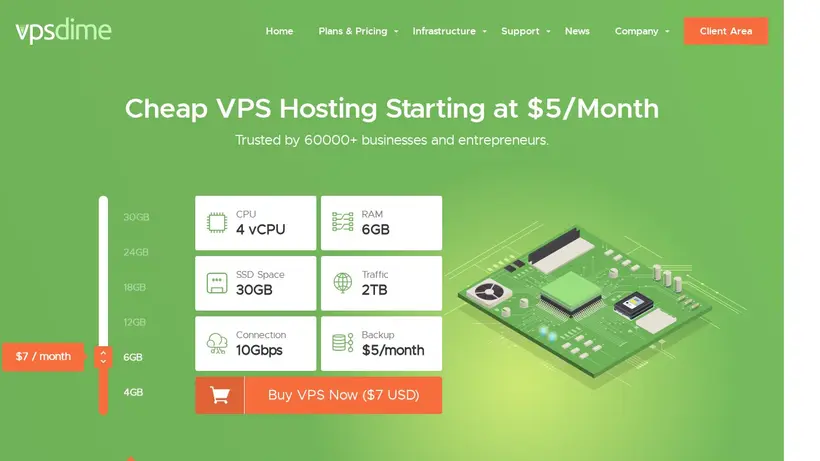
Launch a VPSDime VPS for $7/month with 6GB RAM, 30GB SSD, 4 vCPUs, 2TB traffic, 10Gbps uplink, and 1x IPv4. Runs on dual E5-2620v2/2640v2 nodes wit...
Click to visit the website
Just $7 – Power Up With 6GB RAM VPS
Boost your projects with this high-memory VPS from VPSDime. Get 6GB RAM, 30GB disk, 4 vCPU, and 2TB bandwidth for just $7/mo. Enjoy 1Gbps speeds an...
Click to visit the website
Get High RAM VPS For $7
Boost your projects with a powerful high RAM VPSfrom VPSDime for just $7 per month. Experience reliable performance and scalable resources tailored...
Click to visit the website
High Performance VPS For Just $20
Get a premium VPS from VPSDime for$20 per month. Enjoy 1 dedicated CPU, 4 GB RAM, 60 GB SSD, and 4 TB of traffic. Perfect for growing projects need...
Click to visit the website
GrabaSolidVPS for Just$15/Year
VPSDime offersa lightweightOpenVZ VPS at$15/year:512MB RAM, 30GB disk, 2 vCPU, and 1TB bandwidth. Perfect for small projectsortesting environments.
Click to visit the website
How to use VPS Dime coupons
Follow these simple checkout steps to ensure your selected promotional rate is applied correctly when purchasing your new hosting plan.
- Select your preferred Linux VPS configuration on vpsdime.com and proceed to the configuration screen to customize your operating system.
- Locate the promotional code input field on the checkout page before entering your billing details and finalizing the server order.
- Paste the copied code into the field and verify that the final cart total reflects the discount before completing your transaction.
What to do when a VPS Dime coupon does not work
If your promotional discount does not appear in your cart, review these common troubleshooting steps to resolve the issue before paying.
- Check the specific plan requirements onour listing page, as some promotions only apply to Linux VPS configurations and exclude Windows options.
- Verify that you have copied the codeexactly without any extra spaces, as the checkout system may reject codes with formatting errors.
- Clear your browser cache or open a privatewindow to prevent old session data from interfering with the active promotional rate.
Current VPS Dime coupons worth comparing
Use this summary table to compare the main coupons services from Vpsdime.com. The table includes 8 active offers, highlights offers related to VPS Hosting if any, and shows the current best verified discount of 20% off, along with the latest coupon: Slash 20% Off Linux VPS Plans.
| Promotion | Offer details | Code type |
|---|---|---|
| 20% Off | Slash 20% Off Linux VPS Plans | Coupon |
| Just $7 | 6GB RAM VPS PlusFreeMySQL at$7/Mo | Services |
| Just $7 | High-Speed 6GB RAM VPSOnly $7/mo | Services |
| From $7 | 6GB RAM VPS From $7/month | Services |
| Just $7 | Just $7 – Power Up With 6GB RAM VPS | Services |
| Just $7 | Get High RAM VPS For $7 | Services |
| Just $20 | High Performance VPS For Just $20 | Services |
| Just $15 | GrabaSolidVPS for Just$15/Year | Services |
VPS Dime Savings Guidefor VPS Hosting
Choosing a virtual private server often comes with a classic trade-off: paying for resources you do not use or crashing yourapplication due to memory limits. When you browse the options at vpsdime.com, the focus is clearly on high-memory configurations at low price points. Our editorial team monitors these listings to ensure you have a clear view of the active promotions, helpingyou decide whether a standard Linux VPS or a Premium VPS fits your current project. Before you click through to the checkout page,taking a moment to evaluate your resource needs can prevent you from overpaying or selecting a plan that lacks the necessary CPU power. Itis common to feel cart-total anxiety when setting up new infrastructure, especially when balancing memory requirements against CPU limits. A quick comparisonof the available tiers can save you significant money over the course of a year.
We understand the hesitation that comeswith setting up new infrastructure. You might worry about shared resource limits or whether the database support will handle your traffic spikes.By reviewing our curated list of promotions, you can find entry-level options like the 6GB RAM VPS or lightweight OpenVZsetups. We track these offers independently to give you a reliable starting point before you commit to a billing cycle. Our editors regularly checkthe status of these listings so you do not have to waste time testing expired offers. This independent tracking ensures you see the actual marketrates for these high-memory servers without any marketing fluff.
How to evaluate Slash 20% Off Linux VPS Plans before checkout
When you see an offer like the Slash 20% Off Linux VPS Plans listing, it is easy to get excited about the lowmonthly cost. However, a technical shopper should look closely at the resource allocation details. The provider offers high RAM limits, but becausethese are virtual environments, CPU, I/O, and network bandwidth are shared among multiple virtual machines on the host node. Ifyour application runs continuous high CPU loads, the system administration team might ask you to reduce usage or upgrade to their Premium VPS line.This resource-sharing model is standard for budget hosting, but knowing the rules beforehand prevents surprises. Understanding these limits helps you design your application to be more resource-efficient.
To avoid service interruptions, consider your project's CPU demands alongside the memory requirements. If you are hosting a simple databaseor a test environment, the budget-friendly 6GB RAM plan is an excellent fit. For resource-heavy production sites,planning for a Premium VPS from the start will save you the headache of unexpected migrations later. Checking our active listings helps you compare these tiers side by side. We recommend analyzing your databasequeries and memory usage patterns before choosing your plan. Taking this step ensures your server remains stable even during peak traffic periods.
When to apply a 20% off coupon code
Most promotions on our page donot require a manual code at checkout, but when a coupon code like the 20% off offer is available, applying it correctly is key. During the checkout process on vpsdime.com, look for the promotional code field before finalizing your payment details. A quick pause to copy the code from our page and paste it intothe box can secure your discount on the first billing term. Many shoppers miss this step because they rush through the registration screens, sostaying alert during checkout pays off. It is always disappointing to realize you missed a discount field after entering your credit card details.
Keep in mind that promotional rates typically apply to the initial billing cycle, and renewal pricing may differ. If youplan to use the server long-term, choosing a longer billing term during your initial purchase can maximize your total savings.Always verify that the discount is reflected in your final cart total before submitting your payment information to ensure the promotion applied successfully. Double-checking the invoice details ensures you get the exact rate promised by our listing. This simple habit keeps your hosting budget predictable and prevents unexpected renewal charges down the road.
Frequently asked questions about VPSDime
Finding the righthosting plan requires understanding both the technical specifications and the promotional terms. Our editors have compiled answers to the most common questions about securing discountson vpsdime.com. We track active listings to help you navigate the checkout process and choose the best virtual private serverfor your budget. Review these details to learn about plan limitations, code application, and how to verify your savings before finalizing your purchase. This guide ensures you avoid common checkout mistakes.
How do I apply a promo code?
Do promotionsapply to renewals?
Are backups included in budget plans?
What happens if I exceed resource limits?
Can I use multiple codes?