4 active Winity.io to compare
Save 20% On Lifetime Windows VPS
Boost your digitalinfrastructure with Winity.io high performance Windows SSD VPS hosting. Claim a 20% lifetime discount on all plans toensure rapid...
Click to copy & open the website
Powerful 2GB VPS Only $22 Monthly
Scale your projectswith Winity.io high performance VPS hosting. Get 2GB RAM, 75GB SSD storage,2TB traffic on 1Gbps uplink, plus a dedicated IP and ...
Click to visit the website

About Winity
https://winity.io/Windows VPS Hosting Overview
This quick-reference panel highlights key details for Windows VPS promotions, featuring our best active deal of twenty percent off. Our editors regularly update these listings, showing the current count of four live entries. Use this snapshot to compare starting prices for virtual server plans with Windows Server 2012 R2 Datacenter, check resource specifications like RAM and SSD storage, and review available promotional opportunities before configuring your environment.Promotion summary
- Running: 4
- Best promotion: 20% off
- Try it: Save 20% On Lifetime Windows VPS
- Category: VPS Hosting
- Last updated: 19/06/2026
High Performance VPS Only $40/mo
Boost your projects with Winity hosting. This robust VPS plan includes 2 Xeon E5 CPUs, 4GB RAM, and 100GBSSD storage. Experience 4TB traffic at 1Gb...
Click to visit the website
High Performance Windows VPS From $12.00/mo
Poweryour projects with Winity SSD Windows VPS hosting starting at $12.00/mo. Get 2 Xeon E5 vCPUs, 4 GB RAM, 100 GB SSD, and 4 TB traffic at 1 Gbps...
Click to visit the website
How to use Winity coupons
Follow these straightforward steps to apply your promotional discount code correctly when configuring your new Windows VPS server on the provider's billing site.
- Copy the active code 20PERCENT from our listing page before you select your preferred memory and SSD storage configuration on the order form.
- Paste the copied code into the promotional code field located on the checkout screen and click the validate button to update the price.
- Verify that the recurring monthly total reflects the twenty percent reduction before submitting your payment details to complete the transaction.
What to do when a Winity coupon does not work
If your promotional discount does not apply correctly at checkout, review these common setup issues to resolve the billing problem before submitting your payment.
- Check for extra spaces at the beginning or end of the code 20PERCENT when pasting it into the promotional box on the billing page.
- Ensure you have selected an eligible Windows SSD VPS plan, as certain promotional codes do not apply to custom server configurations or add-on services.
- Contact the support team via the client area if the system rejects the code, as they can manually apply valid discounts to your active invoice.
Current Winity coupons worth comparing
Use this summary table to compare the main coupons services from Winity. The table includes 4 active offers, highlights offers related to VPS Hosting if any, and shows the current best verified discount of 20% off, along with the latest coupon: Save 20% On Lifetime Windows VPS.
| Promotion | Offer details | Code type |
|---|---|---|
| 20% Off | Save 20% On Lifetime Windows VPS | Coupon |
| Just $22/mo | Powerful 2GB VPS Only $22 Monthly | Services |
| Just $40 | High Performance VPS Only $40/mo | Services |
| From $12.00 | High Performance Windows VPS From $12.00/mo | Services |
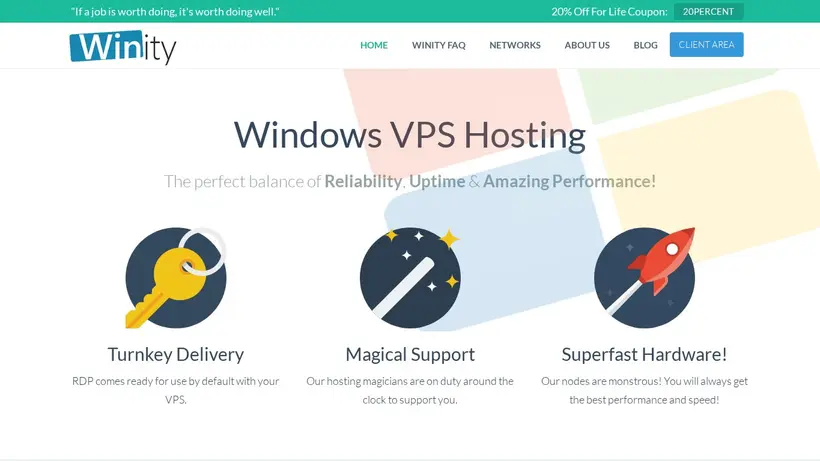
Winity Savings Guide for VPS Hosting
Choosing a virtual private server often brings unexpected decision tension. You sit at your desk, comparing RAM allocations, SSD storage limits, and bandwidth caps, wondering if the cheaper tier will lag under load or if you are overpaying for resources you will never touch. For developers and administrators seeking Windows-based environments, Winity provides dedicated resources with turnkey Remote Desktop Protocol access ready right after setup. This setup bypasses the usual configuration headaches, but the choice between plans still requires a clear strategy. The pressure to choose the right configuration can lead to cart hesitation, especially when balancing performance needs against monthly hosting costs. Shoppers often worry about network latency and whether the virtualized environment can handle continuous workloads without unexpected restarts.
Our editorial team monitors these listings to simplify your decision. The provider describes plans ranging from entry-level Windows VPS starting at twelve dollars monthly to higher-tier configurations with four gigabytes of RAM. Matching the resources to your actual project load is key. By examining the active promotions on our page, you can plan your deployment without overstretching your hosting budget. We track the latest updates so you can compare the available configurations side by side before committing to a billing cycle. This comparison helps you identify which tier offers the best balance of memory, CPU cores, and monthly bandwidth for your specific hosting requirements.
How our Save 20% On Lifetime Windows VPS listing can help shoppers
When looking at the crawled details for Winity, the plans range from two gigabytes of RAM up to four gigabytes or more, paired with Xeon E5 processors and SSD storage. A common shopper hesitation is selecting the exact resource level. If you run light automation scripts or a basic remote desktop environment, the entry-level plan with seventy-five gigabytes of SSD storage and two terabytes of traffic is often sufficient. However, if you plan to host database-heavy applications or multiple active users, upgrading to the four-gigabyte RAM tier with one hundred gigabytes of SSD storage prevents performance bottlenecks before they start. The difference in monthly cost is often minor compared to the frustration of a sluggish server that struggles under peak loads.
The provider includes Windows Server 2012 R2 Datacenter by default, meaning you do not have to purchase a separate operating system license. This inclusion represents a significant hidden saving that is easy to overlook when comparing raw server prices. Before you click through to the checkout page, map out your database size and expected traffic to ensure you select a plan that accommodates growth without forcing an immediate, costly upgrade. Additionally, the in-house control panel allows you to manage Hyper-V settings and reinstall the operating system with a single click, giving you full administrative control over your environment without needing advanced command-line knowledge. Resource usage is displayed graphically in the same interface so you can keep an eye on your server's performance.
When to compare 20% off before checkout
Before finalizing your hosting setup, a quick pause at the cart can prevent billing surprises. The provider offers a lifetime discount code, 20PERCENT, which reduces the recurring cost of your Windows SSD VPS by one-fifth. To use this, copy the code from our list and look for the promotional field on the billing screen. Because this discount applies for the life of the service, it provides much better long-term value than a standard short-term trial offer, especially if you plan to keep the server active for several months or years. Always verify that the discount is active in your cart before entering your payment details, as applying it retroactively is rarely supported by hosting providers.
Keep in mind the provider's official refund policy: they offer a seventy-two-hour refund window for the first order. This short trial period means you should test your server's latency, RDP connection speed, and Hyper-V control panel performance immediately after deployment. If the setup does not meet your technical requirements, initiating a support request within those first three days ensures you can recoup your initial payment under their stated terms. This safety net allows you to test the network limits and resource allocations without financial risk, giving you peace of mind during the initial setup phase. The crawled source indicates the provider aims for 99.9% uptime guarantee with all Windows VPS services, and their support team is described as available around the clock.
Frequently asked questions about Winity
Finding the right Windows VPS hosting plan involves understanding the technical specifications and billing policies before you commit. Our editors have compiled answers to the most common questions about Winity services, drawing from crawled provider data and our active listing details. Whether you are curious about operating system options, refund eligibility, or how to apply our featured 20% off promotion, this quick guide helps you navigate the checkout process with confidence. Review these details to ensure your virtual server setup aligns with your project requirements and budget.
Does the provider offer a refund policy?
What operating system comes with the VPS?
How do I apply the lifetime discount?
Can I manage the server myself?
What uptime guarantee is offered?