
8 active Wpforms.com to compare
Save 50% OFF WPFormsPlans Now
Build better WordPress forms for less. Grab a huge 50% OFF discount on premium WPForms planstoday. Create surveys, contact forms, and payment pages...
Click to copy & open the website
Take 20% Off Your EntireOrder
Optimize your workflow at WPForms.com by applying this 20% off discount to your nextpurchase. You can stack coupons to secure the best possible dea...
Click to copy & open the website

About WPForms
https://wpforms.comWPForms Quick Savings Overview
This sidebar panel provides a quick snapshot of the active offers available for your next plugin purchase. Our editors regularly update thissection to highlight the Save 50% OFF WPFormsPlans Now and verify the current discount counts. Review the last updated date and archive notesto ensure you are using the most reliable information before heading to the checkout page on wpforms.com to complete your order.Promotion summary
- Running: 8
- Best promotion: 50% off
- Try it: Save 50% OFF WPFormsPlans Now
- Category: Theme and Plugin
- Last updated: 21/06/2026
Save 10% On Your Purchase
Get 10% off your order at WPForms.com today. Use this exclusive coupon code at checkout to secure your discount on the powerful forms plugin younee...
Click to copy & open the website
Claim 20% Off Any Plan Today
Build better WordPress forms for less. Getstarted today and enjoy a 20% discount on any plan at WPForms.com. Create powerful contact forms, surveys...
Click to copy & open the website
Build Pro Forms From $49 Yearly
Join thousands of happyusers and transform your website with ease. Access the powerful WPForms Basic Plan today for just $49/yr.Create stunning, hi...
Click to visit the website
Get Pro For $199 Yearly
Upgrade your sitewith the WPForms Pro Plan for just $199/yr. Access powerful form building tools and advanced features atthis exclusive price. Unlo...
Click to visit the website
Unlock Plus Plan Capabilities for $99 Yearly
Streamline your website development workflow with the PlusPlan for just $99 a year at WPForms.com. Access advanced tools and build powerful forms w...
Click to visit the website
Just $349 – Save Big On Annual Agency Plans
Equip your business with the ultimate tools for growth.Get the WPForms Agency Plan for just $349/yr and enjoy premium features designed to scale yo...
Click to visit the website
How to use WPForms coupons
Follow these simple steps to apply your chosen promotional offer and secure your discount on the WPForms checkout page today.
- First, select the specificsubscription plan that matches your project requirements on wpforms.com and click the purchase button to proceed.
- Next, locate the promotional input field onthe checkout page and carefully enter the code you copied from our page.
- Finally, verify that the discount has been applied to your total balance before yousubmit your payment details to complete the order.
What to do when a WPForms coupon does not work
If your discount does not appear in your cart, try these quick troubleshootingsteps to resolve the issue before completing your purchase.
- Double-check the spelling of the code to ensure there are no extra spaces or typos thatmight prevent the system from recognizing it.
- Verify that the selected plan is eligible for the promotion, as some offers only apply to specific tiers like Pro orAgency.
- Clear your browser cache or open a new private window to ensure old session data is not interfering with the checkout process.
Current WPForms coupons worth comparing
Use this summary table to compare the main coupons services from WPForms. The table includes 8 active offers, highlights offers related to Theme and Plugin if any, and shows the current best verified discount of 50% off, along with the latest coupon: Save 50% OFF WPFormsPlans Now.
| Promotion | Offer details | Code type |
|---|---|---|
| 50% Off | Save 50% OFF WPFormsPlans Now | Coupon |
| 20% Off | Take 20% Off Your EntireOrder | Coupon |
| 10% Off | Save 10% On Your Purchase | Coupon |
| 20% Off | Claim 20% Off Any Plan Today | Coupon |
| Just $49 | Build Pro Forms From $49 Yearly | Services |
| Just $199 | Get Pro For $199 Yearly | Services |
| Just $99 | Unlock Plus Plan Capabilities for $99 Yearly | Services |
| Just $349 | Just $349 – Save Big On Annual Agency Plans | Services |
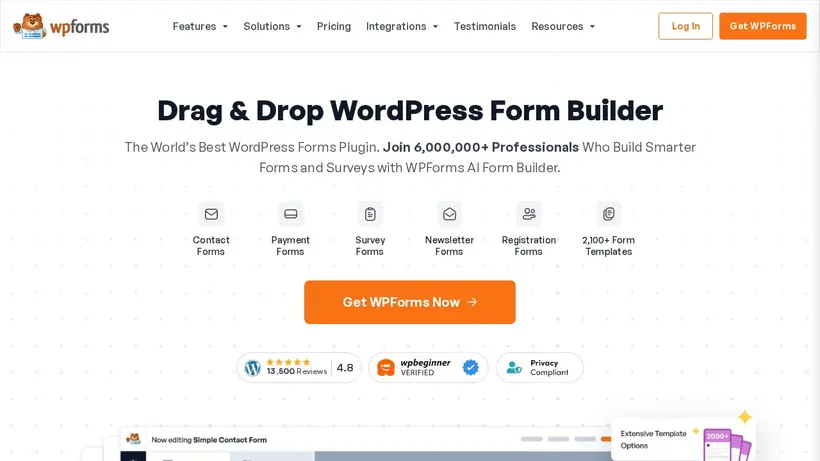
WPForms Savings Guide for Theme and Plugin
Selecting the right tools for your WordPress site often comes down to balancing features and cost. When building contact forms, payment fields,or detailed surveys, a premium plugin can save hours of development time. Our editorial team monitors the available offers for WPForms tohelp you find the best value for your project. We compile these listings so you can compare pricing tiers and decide which subscription level fits your current needs without paying fullprice. By analyzing the features included in each tier, you can determine if a basic plan suffices or if your project demands theadvanced integrations found in higher-level options. This helps you avoid overpaying for features you might not use immediately while ensuring you have room to grow as your traffic increases.
Before committing to a purchase, it helps to understand how different promotions apply to the various subscription tiers. Some offers might target entry-level plans, while othersprovide a percentage discount across the entire order. By reviewing our curated list, you can identify which promotion matches your specific plan choice, whether you are running a singlepersonal blog or managing multiple client websites. Taking a moment to plan your purchase can prevent you from choosing a suboptimal offer at checkout. We aim to simplify this process by presenting the key details ofeach listing clearly, allowing you to focus on building your website rather than searching for working discounts. Many shoppers experience cart hesitation when they see the initialtotal, but having a clear plan helps alleviate that anxiety.
How our Save 50% OFF WPFormsPlans Now listingcan help shoppers
Our editorial team works to keep the listings on this page updated so you can find active discounts quickly.When you look at the current options, you will see a mix of direct promotions and specific codes. For instance, the Save 50% OFF WPFormsPlans Now listingrepresents one of the top ways to reduce your initial subscription cost. We display these details clearly so you can see the potential savings beforeyou click through to the merchant site. This transparency allows you to make an informed decision based on real-time listing data rather than guessing which promotion might work.We also track how often these offers change, giving you a clearer picture of when to buy to secure the best rate. We want to make sure you have accessto the most reliable information possible when making your purchasing decisions.
We also categorize each entry to show whether it requires a manual code orapplies automatically at checkout. This distinction is crucial because it changes how you interact with the checkout page. If an offer requires a code,you will need to copy it from our page and paste it into the appropriate field during checkout. For automatic promotions, the discount should reflect in your cart immediately. By understanding these mechanisms beforehand, you can avoid the frustration of missing out on a discount due to a simple procedural error. Our guides are designed to walk you through these steps smoothly, ensuring ahassle-free experience as you upgrade your site's capabilities. It is always disappointing to reach the final step of a purchase only to find that a discount didnot apply correctly.
When to compare 50% off before checkout
It is always wise to compare theavailable options, such as the 50% off offer, against the specific plan you intend to purchase. WordPress plugins often feature multiple pricing tiers,from basic single-site licenses to comprehensive agency packages. A flat discount might work best for a high-tier plan, while a percentage-based offer could bemore beneficial for a lower tier. We recommend calculating the final cost for each scenario before making your decision. This extra step ensures you get the maximum possible savings foryour specific setup. Additionally, comparing different tiers helps you avoid paying for features you do not need, keeping your overall project expenses withina reasonable budget. Sometimes a smaller percentage off a premium plan yields greater overall value than a larger discount on a basic plan.
Additionally, keep in mind that subscription renewals may follow different pricing structures than your initial purchase. While our listings help you save on thefirst year, you should review the brand's renewal terms to avoid surprises later. Taking a few minutes to read the details on the checkout page will help you understand the long-term cost ofyour subscription. Our goal is to provide the clear, practical information you need to make a smart purchase today and manage your website budget effectively over time. By stayinginformed about these billing details, you can make decisions that benefit your business both now and in the future. We recommend setting a reminder before your subscription renews soyou can evaluate your ongoing needs and budget accordingly.
Frequently asked questions about WPForms
Finding the right discount for your WordPress plugin purchase can sometimes raise questions about how promotions work.Our editorial team compiles these listings to help you navigate the checkout process with confidence. We track active offers for WPForms to ensure you have access tothe latest savings opportunities. Below, we have answered some of the most common questions shoppers ask when looking to save on their subscriptions. Review these details tounderstand plan eligibility, renewal terms, and how to apply your discount successfully.
Can I use multiple discounts?
How do I apply theoffer?
Do these discounts apply to renewals?
What if the code fails?





