14 Best Email Automation Tools for Small Business Growth

Table of contents
Email automation functions as a persistent marketing assistant, managing repetitive tasks like welcome sequences, abandoned cart recovery, and subscriber segmentation without manual intervention. For small business owners and WordPress site managers, the challenge lies in identifying a platform that balances ease of use, high deliverability, and cost-effective scaling. Without a dedicated system, businesses often rely on manual email management, which consumes valuable time and limits the ability to provide personalized customer experiences at scale.
The right automation tool transforms how a business interacts with its audience. By triggering specific messages based on user behavior—such as visiting a product page or signing up for a newsletter—you can nurture leads more effectively than with static, one-off broadcasts. However, not all platforms are built for the same purpose. Some prioritize simplicity for beginners, while others offer deep CRM integration or specialized features for e-commerce and course creators. Understanding your specific requirements, such as the need for WooCommerce compatibility or advanced behavioral triggers, is the first step toward building a sustainable marketing engine. This guide evaluates the leading options to help you align your business goals with the technical capabilities of modern email marketing software.
The Role of Email Automation in Modern Business
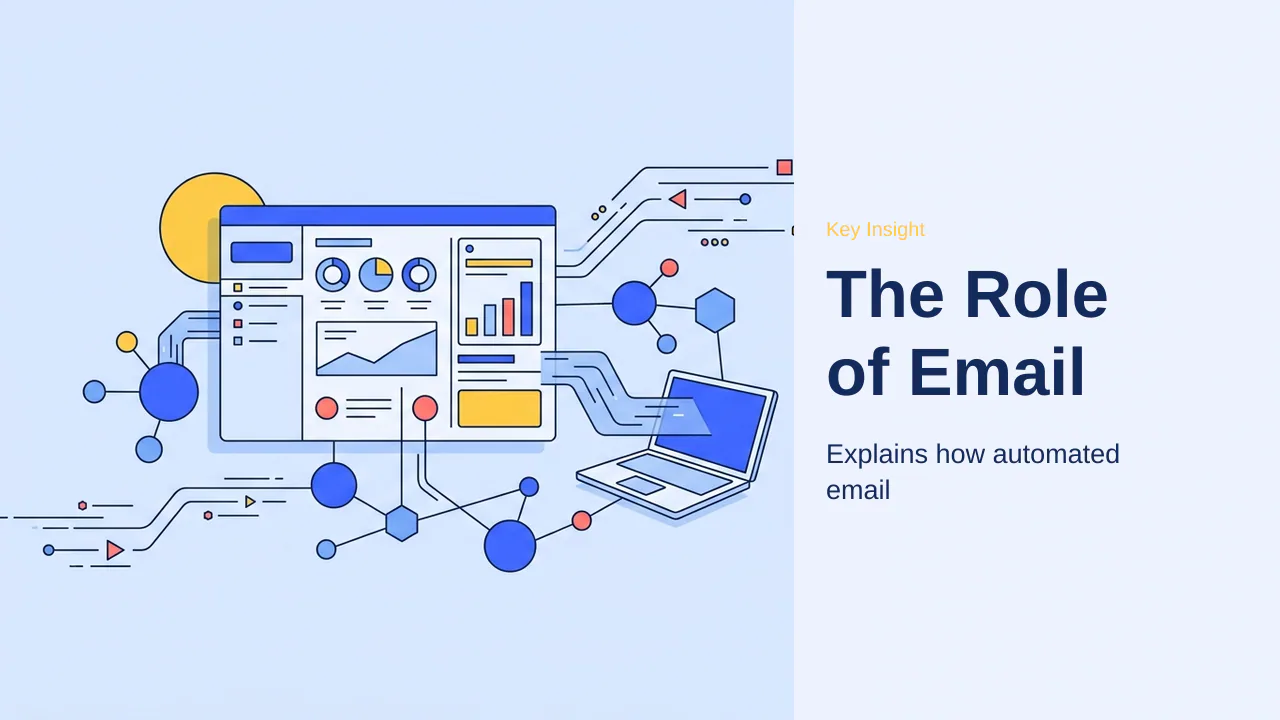
Email automation functions as a 24/7 digital marketing assistant, handling repetitive communication tasks that would otherwise consume hours of manual effort. By triggering messages based on specific user actions—such as signing up for a newsletter or abandoning a shopping cart—businesses can maintain consistent engagement without constant oversight. This shift from manual management to automated workflows allows site owners to focus on strategy rather than routine administrative tasks. The core promise of these systems is the ability to scale communication efforts alongside business growth, ensuring that every new subscriber receives a personalized onboarding experience without requiring a proportional increase in human labor.
In the current digital landscape, the volume of interactions a growing business manages can quickly overwhelm manual processes. Automation bridges this gap by providing a reliable infrastructure for nurturing leads. Whether it is a simple welcome sequence for a new blog reader or a complex, multi-stage recovery flow for an online store, these systems operate in the background to ensure that no potential customer is left behind. By automating these touchpoints, businesses can maintain a professional presence that feels personal and attentive, regardless of the size of the contact list.
Key considerations for The Role of Email Automation in Modern Business
The primary value of automation lies in its ability to deliver timely, relevant content to subscribers exactly when they are most likely to interact with it. Instead of sending generic blasts to an entire list, automated systems use behavioral triggers to tailor the experience. This personalization is essential for converting casual visitors into loyal customers, as it ensures that every touchpoint feels intentional and responsive to the user’s current stage in the customer journey. When selecting a strategy, it is vital to consider how these automated paths align with your broader business goals, such as increasing repeat purchases or driving traffic to new content.
Furthermore, the integration of automation into your existing workflow should be viewed as a long-term investment in operational efficiency. A well-configured system acts as a force multiplier for your marketing efforts, allowing you to execute complex campaigns that would be impossible to manage manually. This level of sophistication is no longer reserved for large enterprises; modern platforms have made these tools accessible to small business owners and independent creators alike, provided they understand the fundamental mechanics of trigger-based communication.
Practical checks for The Role of Email Automation in Modern Business
When evaluating whether your business needs an automated system, consider the time currently spent on routine tasks. If you find yourself manually sending welcome emails, tracking down incomplete orders, or updating subscriber lists, an automated platform will provide immediate efficiency gains. The right tool replaces manual email management by standardizing these processes, ensuring that no lead is ignored and that your communication remains professional and reliable as your audience grows. Before committing to a specific platform, perform a brief audit of your current communication bottlenecks to identify which processes would benefit most from immediate automation.
Finally, consider the technical requirements of your site. A robust automation setup must communicate effectively with your existing infrastructure, such as your WordPress site or WooCommerce store, without introducing latency or security vulnerabilities. Ensuring that your chosen tool supports seamless integration is a critical step in maintaining a high-performing website. By prioritizing tools that offer clear, visual builders and reliable deliverability, you can establish a foundation that supports your marketing goals while minimizing technical friction.
Beyond basic welcome sequences, modern automation platforms serve as a critical infrastructure layer for site reliability. By offloading bulk communication to specialized services, site owners prevent the performance degradation often caused by high-volume mail processing on shared hosting environments. This separation ensures that your primary website resources remain dedicated to user experience and page speed, while the automation engine manages the complex task of deliverability and subscriber engagement.
The strategic value of this approach extends to long-term list health. Automated systems provide the necessary tools to audit subscriber activity, automatically removing inactive contacts to maintain high sender reputation scores. This proactive maintenance is essential for ensuring that future campaigns reach the inbox rather than the spam folder. When selecting a system, prioritize tools that offer lightweight API connections to your WordPress site, as these integrations minimize technical friction and ensure that your marketing engine scales efficiently alongside your business growth.
How to Evaluate Email Marketing Platforms
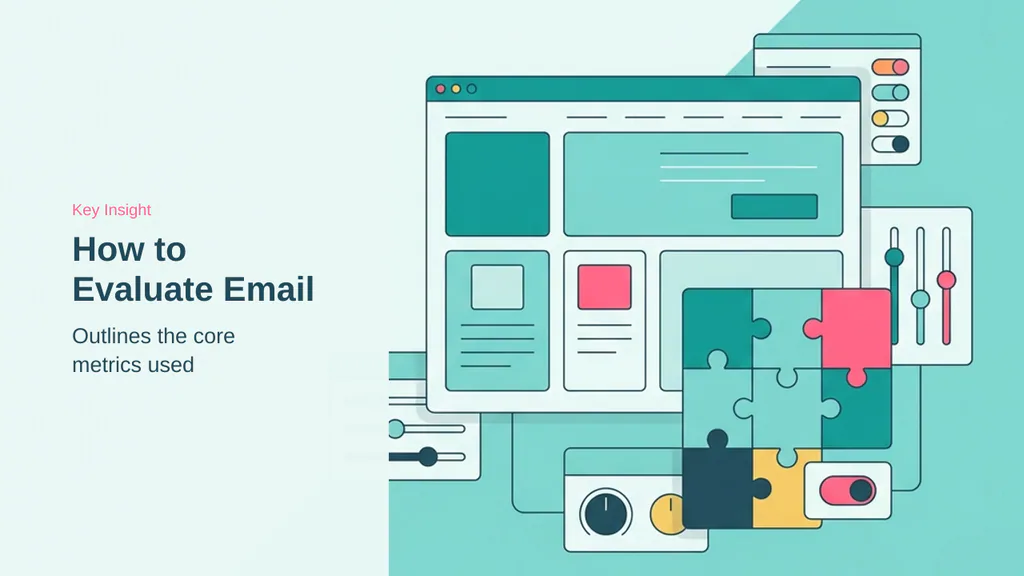
Selecting the right email automation tool requires balancing immediate usability with long-term technical requirements. Because ease of use for beginners is a priority for WordPress site owners, the most effective platforms provide intuitive drag-and-drop builders that eliminate the need for custom coding. Beyond simple design, the depth of automation—specifically the ability to create branching logic based on user behavior—determines how effectively a system can nurture leads without manual intervention.
Prioritizing Beginner-Friendly Design
A platform should allow a user to launch a basic welcome sequence within an hour of setup. The most accessible tools feature visual workflow builders that replace complex jargon with clear, flowchart-style interfaces. This visual approach ensures that site owners can manage their marketing tasks without needing developer assistance or specialized technical training.
Technical Deliverability and Sender Reputation
Deliverability is the dividing line between high ROI and underperforming lists. If a platform fails to handle technical authentication like SPF, DKIM, and DMARC, messages are frequently routed to spam folders regardless of content quality. Reliable tools protect sender reputation by maintaining dedicated infrastructure and providing clear guidance on domain verification, ensuring that your automated messages reach the primary inbox consistently.
WordPress and WooCommerce Compatibility
Integration must not slow down the website or introduce security vulnerabilities. A high-quality connection plugin should synchronize customer data—such as purchase history or cart abandonment status—in real time without impacting site performance. When evaluating these tools, prioritize platforms that offer native, lightweight plugins designed to communicate efficiently with your existing WordPress database.
- Verify the platform offers a simple drag-and-drop email designer.
- Check for advanced visual automation builders with conditional logic.
- Confirm the tool provides clear, independent deliverability test scores.
- Ensure the WordPress integration plugin is lightweight and performant.
- Review pricing tiers for hidden costs at 1,000, 5,000, and 10,000 subscribers.
The useful signal here is that while feature lists often look identical, the actual implementation of these criteria varies significantly between platforms. By focusing on these core metrics, you can filter out tools that prioritize marketing fluff over functional reliability.
Beyond the technical foundation, evaluating email platforms requires assessing how well they handle list hygiene. Regularly auditing your subscriber base to remove inactive contacts is essential for maintaining a healthy sender reputation, which directly impacts the likelihood of your messages reaching the primary inbox. Platforms that offer automated list-cleaning features or clear insights into subscriber engagement levels provide a significant advantage for long-term growth.
Furthermore, consider the scalability of your chosen integration. As your site traffic increases, the overhead of syncing customer data can become a bottleneck. Prioritize tools that utilize lightweight API connections rather than resource-heavy database queries to ensure that your marketing efforts do not degrade the user experience for your site visitors. The goal is to maintain a high-performance website while simultaneously building a responsive, engaged email audience.
Top Choices for Small Business Beginners

For those prioritizing ease of use and design aesthetics, Constant Contact and MailerLite stand out as the primary options. These platforms remove technical barriers, allowing site owners to focus on content rather than complex infrastructure. When you are just starting your journey, the ability to launch a campaign without needing a developer is the most valuable asset you can have.
Constant Contact is particularly well-suited for service providers and local businesses. It offers US-based phone and live chat support, ensuring that help is accessible when technical questions arise. While the platform is highly intuitive, users should note that multi-step automation requires the Standard plan. This is a critical distinction for those planning to build complex funnels early on.
MailerLite features a minimalist editor that appeals to creators and solopreneurs. Its design-first approach simplifies the process of creating professional newsletters without requiring developer skills. The useful signal here is that while both tools excel at simplicity, they serve different operational needs. MailerLite’s focus on clean, modern aesthetics makes it a favorite for those who want their emails to look polished with minimal effort.
When evaluating these platforms, consider the following factors to ensure your choice aligns with your business goals:
- Support Accessibility: Constant Contact provides robust, US-based phone and live chat support for those who prefer direct assistance.
- Design Workflow: MailerLite offers a streamlined, minimalist interface specifically for visual-heavy content creation.
- Automation Depth: Constant Contact requires the Standard plan for multi-step automation, which is a factor for growing businesses.
- Learning Curve: Both platforms avoid the steep technical requirements associated with enterprise-grade CRM systems.
What matters for buyers is matching these tools to their specific growth stage. While Constant Contact offers a guided experience for beginners, MailerLite provides a clean, efficient workspace for independent creators. The safer read is to test the interface of each before committing to a long-term plan, as the workflow experience is the primary differentiator for these beginner-focused solutions. If you find yourself needing more advanced sales tracking or deep e-commerce integration later, these platforms provide a solid foundation from which you can eventually migrate to more specialized tools. For now, focus on the simplicity that keeps your marketing efforts consistent and manageable.
For businesses ready to move beyond basic newsletters, specialized e-commerce platforms offer deeper integration for online retail. These tools provide granular revenue attribution and multi-channel capabilities that go well beyond simple broadcast emails. The useful signal here is that while beginner tools prioritize simplicity, e-commerce-focused platforms prioritize conversion tracking and behavioral triggers.
Specialized Automation for Online Stores
Retail environments require systems that track inventory, purchase history, and cart behavior in real time. For WooCommerce and Shopify users, the goal is to recover lost revenue through precise, behavioral triggers that respond to customer actions without manual intervention.
Native WooCommerce Integration Benefits
Platforms like FunnelKit Automations provide a distinct advantage by operating directly within the WordPress dashboard. By keeping data local, these tools avoid the latency often associated with third-party cloud syncs. This native architecture allows for real-time capture of email addresses during the checkout process, ensuring that abandoned carts are identified the moment a user pauses their purchase. Because the system resides on your server, you maintain full control over your customer data and purchase history.
Multi-Channel Marketing with SMS and Push
Modern retail strategies often rely on Omnisend to bridge the gap between email and mobile engagement. By blending email, SMS, and web push notifications into a single automated workflow, businesses can reach customers on their preferred devices. This multi-channel approach is particularly effective for time-sensitive promotions or urgent cart recovery reminders, where a text message may achieve higher visibility than a standard email broadcast.
Revenue Attribution and Sales Tracking
For data-driven store owners, Drip offers granular, email-level revenue attribution. This capability allows you to see exactly which specific email or sequence triggered a sale, providing a clear view of your return on investment. Note: While specialized tools like Drip carry a higher entry cost, the precision of their financial reporting often justifies the expense for stores with established transaction volumes.
Beyond retail-specific triggers, enterprise-grade platforms integrate deeply with customer relationship management (CRM) systems to manage complex sales pipelines. These tools allow businesses to track high-value leads through multiple stages, ensuring that automated follow-ups remain contextually relevant to the prospect’s current position in the buying journey. By syncing purchase history with behavioral data, these systems provide a unified view of customer lifetime value.
- Centralize lead data across marketing and sales departments.
- Automate pipeline transitions based on user engagement.
- Sync CRM status with email sequence triggers.
Beyond retail-specific triggers, enterprise-grade platforms integrate deeply with customer relationship management (CRM) systems to manage complex sales pipelines. These tools allow businesses to track high-value leads through multiple stages, ensuring that automated follow-ups remain contextually relevant to the prospect’s current position in the buying journey. By syncing purchase history with behavioral data, these systems provide a unified view of customer lifetime value, which is essential for scaling operations without losing the personal touch that drives repeat business.
For high-volume stores, the ability to segment audiences based on real-time interaction is a significant performance multiplier. Instead of sending generic broadcasts, these platforms use dynamic data to trigger personalized messages that align with specific user interests. This level of precision reduces unsubscribe rates and increases the likelihood of conversion, as customers receive content that reflects their actual browsing and purchasing habits. When integrated correctly, these systems act as a force multiplier for marketing teams, allowing them to focus on strategy rather than manual list management.
- Centralize lead data across marketing and sales departments.
- Automate pipeline transitions based on user engagement.
- Sync CRM status with email sequence triggers.
- Leverage predictive analytics to identify high-value customer segments.
The safer read is that while these advanced integrations require more initial configuration, the long-term efficiency gains for growing e-commerce brands are substantial. What matters for buyers is ensuring the chosen platform supports the specific CRM or sales tools already in use, as compatibility issues can create data silos that hinder growth. The useful signal here is to prioritize platforms that offer robust API documentation and native connectors, as these features minimize the technical debt that often accumulates as a business scales its automated marketing infrastructure. By focusing on these foundational requirements, store owners can build a resilient system that supports both immediate sales recovery and long-term customer relationship development.
CRM-First Platforms for Sales-Driven Growth
For businesses where marketing is inseparable from sales pipeline management, CRM-first platforms offer a unified ecosystem. By centralizing customer data, these tools ensure that every email interaction is informed by the contact’s current stage in the buying journey, from initial inquiry to final conversion.
HubSpot stands out as the primary choice for B2B and sales-driven organizations. It uniquely combines robust email marketing tools with a free CRM that tracks every interaction, allowing teams to see exactly how marketing efforts contribute to revenue. While the platform is highly effective, it is important to note that the Professional plans, which unlock advanced multi-step automation, include a mandatory onboarding fee.
ActiveCampaign serves as a powerful alternative for businesses requiring deep behavioral triggers and complex branching workflows. It is designed to handle intricate automation logic that adjusts based on how a subscriber interacts with your site or emails. This level of depth is ideal for companies that have outgrown basic autoresponders and need a system that can execute sophisticated, multi-stage marketing strategies.
- HubSpot provides a unified dashboard for email, forms, and sales pipeline tracking.
- ActiveCampaign excels at branching workflows triggered by specific user behaviors.
- HubSpot Professional plans require a mandatory onboarding fee to access advanced features.
- Both platforms are best suited for businesses with active sales teams.
The useful signal here is that these platforms are built for scale and complexity. If your business model relies on tracking high-value leads through a long sales cycle, the investment in a CRM-integrated tool often pays for itself through improved lead conversion and better data visibility.
For creators, coaches, and course sellers, the focus shifts from pure sales pipelines to subscriber engagement and digital product monetization. Kit (formerly ConvertKit) is particularly well-suited for this audience, utilizing a tag-based subscriber management system that avoids the complexity of traditional list-based architectures. Its free Newsletter plan supports up to 10,000 subscribers, providing a significant runway for those building an audience from scratch. Similarly, GetResponse offers a distinct advantage for those hosting live events, as it includes built-in webinar hosting capabilities that integrate directly into automated marketing funnels.
These platforms allow for granular control over content delivery, ensuring that subscribers receive tailored information based on their interests or course progress. By leveraging these specialized tools, creators can automate the delivery of lead magnets, course modules, and promotional sequences without the overhead of enterprise-grade CRM systems.
- Kit features a tag-based system that simplifies subscriber management for content creators.
- Kit’s free Newsletter plan accommodates up to 10,000 subscribers.
- GetResponse includes built-in webinar hosting for live and evergreen sales funnels.
Tools for Creators, Coaches, and Course Sellers

Content creators, coaches, and course sellers require specialized platforms that go beyond standard newsletter delivery. These users often need to manage digital product access, host live or evergreen webinars, and segment audiences based on specific content interests rather than just retail purchase history. The platforms highlighted here are optimized for these creator-centric workflows.
Webinar Hosting and Course Monetization
For those who rely on live presentations or structured educational content, GetResponse includes built-in webinar hosting, which simplifies the sales funnel significantly. By keeping the webinar platform and email automation under one roof, creators can trigger follow-up sequences automatically based on webinar attendance or engagement. This integration is a major time-saver for coaches who otherwise struggle to sync separate webinar software with their email lists.
Tag-Based Subscriber Management
Kit (formerly ConvertKit) uses a tag-based subscriber system, which is a departure from the traditional list-based architecture used by many older email platforms. This approach allows creators to organize subscribers by their specific interests—such as which lead magnet they downloaded or which course they purchased—without creating duplicate contact entries. This flexibility is essential for maintaining a clean database as your content library grows.
Free Plans for Growing Audiences
Budget management is a critical concern for early-stage creators. Kit’s free Newsletter plan supports up to 10,000 subscribers, providing a substantial runway for those building an audience from scratch. This generous threshold allows creators to focus on content production and list growth without the immediate pressure of monthly subscription costs.
- Use GetResponse for all-in-one webinar and email funnels.
- Adopt Kit for flexible, tag-based audience segmentation.
- Leverage free plans to scale your list before committing to paid tiers.
Note: While these platforms excel at creator workflows, always verify that their specific monetization features align with your chosen payment gateway to avoid unexpected transaction fees.
Beyond these specialized tools, budget-conscious creators often seek alternatives that integrate directly with their existing WordPress environment. Using native plugins can reduce reliance on external monthly subscriptions, though this requires careful management of server resources to maintain site speed. For those managing smaller lists or just starting out, leveraging WordPress-native solutions allows for tighter control over data and branding without the overhead of enterprise-grade platforms.
The useful signal here is that while GetResponse and Kit offer powerful, all-in-one features for scaling, they represent a recurring cost that should be weighed against the technical maintenance required by self-hosted alternatives. When your audience reaches a size where platform fees become a significant portion of your operating budget, transitioning to a more integrated, lower-cost model can provide the financial flexibility needed to reinvest in content production or product development.
For creators operating on tighter margins, WordPress-native plugins offer a viable path to bypass recurring platform fees. By utilizing tools that reside directly within your site’s dashboard, you retain full control over your subscriber data and branding. While this approach requires more hands-on server management to ensure performance, it eliminates the per-contact pricing tiers that often penalize rapid list growth. The useful signal here is that while specialized platforms like GetResponse and Kit provide immediate, out-of-the-box functionality for webinars and complex tagging, they represent a recurring operational expense. When your audience reaches a scale where platform fees become a significant portion of your budget, transitioning to a self-hosted, integrated model can provide the financial flexibility needed to reinvest in your content or product development. Always weigh the time cost of technical maintenance against the convenience of managed SaaS solutions before migrating your primary marketing engine.
Affordable and WordPress-Native Solutions

For site owners operating on tight budgets or those who prefer to keep their marketing infrastructure centralized, Moosend and MailPoet offer distinct advantages. These platforms prioritize cost-efficiency and direct integration, allowing users to manage complex communication tasks without the overhead of external enterprise-grade software.
Moosend stands out for its aggressive pricing model, specifically designed for businesses that need to scale their reach without facing prohibitive monthly costs. A primary benefit of their paid plans is that Moosend provides unlimited email sends, which removes the common anxiety of hitting volume caps during high-traffic periods or seasonal promotions. This predictability is essential for small teams that need to maintain consistent engagement without constant budget re-evaluation.
For those deeply embedded in the WordPress ecosystem, MailPoet provides a unique alternative by functioning as a native plugin. This approach allows users to manage campaigns directly inside the WordPress admin, eliminating the need to toggle between multiple browser tabs or external dashboards. The platform is particularly well-suited for site owners who want to maintain a unified workflow while leveraging their existing site data.
- Moosend offers unlimited email sends on all paid plans, ensuring predictable costs as your list grows.
- MailPoet enables full campaign management within the WordPress dashboard, streamlining the creation process.
- MailPoet includes its own sending service, which simplifies technical setup by removing the need for external SMTP configuration.
The useful signal here is that while external platforms offer more advanced behavioral triggers, native or budget-focused tools often provide the highest ROI for simple, consistent communication. Choosing the right tool requires balancing your need for advanced automation against the desire for a simplified, cost-effective maintenance routine.
Beyond these primary tools, site owners should consider the long-term implications of their chosen infrastructure. While native plugins like MailPoet offer unmatched convenience for simple newsletters, they rely on your site’s resources to process tasks. For high-volume sending, offloading this work to a dedicated service prevents potential performance bottlenecks on your WordPress server.
The useful signal is that budget-friendly tools often require a trade-off between simplicity and advanced behavioral triggers. If your primary goal is consistent communication without the complexity of enterprise-grade software, these WordPress-native or low-cost options provide a stable foundation. As your list grows, you can always migrate to more specialized platforms if your requirements for granular data or multi-channel automation increase.
While native tools like MailPoet provide seamless dashboard integration, they consume local server resources to process background tasks. For high-volume sending, offloading these operations to a dedicated service is essential to prevent performance bottlenecks on your WordPress site. The useful signal here is that while native plugins offer unmatched convenience for simple newsletters, they rely on your site’s resources to process tasks. For high-volume sending, offloading this work to a dedicated service prevents potential performance bottlenecks on your WordPress server.
Common Questions About Email Automation
Autoresponders vs. Advanced Automation
An email autoresponder is a simple, linear sequence sent automatically after a specific trigger, such as a newsletter signup. It delivers the same content to every subscriber regardless of their individual actions. True email automation allows branching logic based on behavior, such as clicking a specific link or visiting a product page. This advanced approach enables the system to update your contact database, apply tags, and send multi-channel messages—like SMS or push notifications—tailored to each user’s specific needs. While autoresponders are sufficient for basic welcome messages, they lack the depth required for complex sales funnels or personalized customer journeys. If you manage an e-commerce store or a service business with diverse customer segments, a basic autoresponder is rarely enough to maximize revenue. To grow effectively, you need an advanced system that adapts to each customer’s specific interactions in real time.
Why WordPress Needs External Email Tools
WordPress is a content management system, not a mail server. Sending bulk mail from WordPress servers often leads to spam folders because shared hosting environments lack the necessary authentication records like SPF, DKIM, and DMARC. External email platforms handle this infrastructure, ensuring your messages reach the primary inbox. These tools integrate seamlessly with WordPress, allowing you to manage your site while offloading the technical burden of deliverability to specialized services. Without these external tools, your emails are likely to be flagged as malicious or unsolicited by major providers like Gmail and Yahoo. By using a dedicated service, you gain access to professional-grade deliverability, detailed analytics, and the ability to scale your communication without risking your domain’s reputation. This separation of concerns allows your website to focus on content delivery while your email platform manages the complex logistics of high-volume messaging.
Budgeting for Email Marketing
- Start with a free plan to test your strategy and platform compatibility.
- Use dedicated SMTP services for better deliverability and sender reputation.
- Focus on behavioral triggers to increase conversion rates and engagement.
- Monitor your ROI to justify scaling your subscription as revenue grows.
- Audit your contact list regularly to remove inactive subscribers and manage costs.
- Leverage pre-built templates to save time during the initial setup phase.
By understanding these core concepts, you can avoid common pitfalls and build a sustainable marketing engine that supports your business goals without unnecessary technical complexity or wasted expenditure.
Beyond the technical mechanics of deliverability and branching logic, many users wonder about the long-term sustainability of their email strategy. A common concern involves the transition from free tiers to paid plans as a list grows. Most platforms offer a clear path for this, but it is vital to audit your contact list regularly. Removing inactive subscribers—those who have not opened an email in several months—is a best practice that keeps your sender reputation high and prevents unnecessary costs. This maintenance ensures that your budget is spent on engaged prospects rather than dormant email addresses.
Another frequent question concerns the integration of email tools with existing site plugins. While many platforms provide a dedicated plugin for WordPress, it is important to ensure that these connections do not introduce site bloat. The most efficient tools use lightweight API connections that trigger events in the background without slowing down page load times. If you notice a performance dip after installing an email integration, check your site’s caching settings or consult the platform’s documentation for optimized configuration steps.
Finally, consider the role of pre-built templates in your initial setup. While custom designs are tempting, starting with professionally vetted templates can significantly reduce your time-to-launch. These templates are often optimized for mobile responsiveness and high conversion rates, providing a solid foundation that you can refine as your brand identity evolves. By focusing on consistent messaging and clear calls to action rather than complex design elements, you can build a reliable marketing engine that scales alongside your business goals.
Selecting an email automation tool is less about choosing the most popular platform and more about matching your specific business model to the right feature set. For e-commerce stores, the priority is native integration and revenue attribution, while content creators and coaches often benefit more from tag-based management and webinar capabilities. CRM-first platforms offer the most power for sales-driven organizations but require a higher commitment to setup and ongoing management. Conversely, WordPress-native solutions provide the most streamlined experience for site owners who prefer to manage their marketing directly within their existing dashboard.
The useful signal here is that your choice should evolve alongside your business. Starting with a beginner-friendly tool is often the most practical approach to avoid technical overwhelm, provided the platform offers a clear path for migration as your list grows and your automation needs become more complex. Regardless of the platform, the core requirement remains consistent: prioritize deliverability and ensure your chosen tool integrates cleanly with your website. Sending bulk mail directly from WordPress servers is rarely a viable long-term strategy due to the risk of landing in spam folders; therefore, investing in a dedicated service is a necessary expense for any serious growth strategy. Small businesses with under 1,000 subscribers can typically find robust solutions within a modest monthly budget, making the barrier to entry lower than ever. By focusing on behavioral triggers rather than simple autoresponders, you move from merely sending emails to creating a responsive, automated system that works to convert visitors into loyal customers. Take the time to audit your current workflow, identify the most time-consuming manual tasks, and select the tool that solves those specific bottlenecks first.