Best Internal Linking Plugins for WordPress: A Practical Guide

Table of contents
Internal linking is the backbone of a healthy website. By connecting your content, you create a clear path for search engines to crawl your pages while helping visitors find the information they need. Without these connections, your best articles risk becoming orphaned, effectively hidden from search results and losing the authority they deserve. While manual linking works for small blogs, it quickly becomes a bottleneck as your site grows.
Automation tools bridge this gap by identifying missed opportunities and suggesting relevant links based on your existing content. Whether you prefer in-editor prompts that guide your writing or automated systems that map keywords to URLs, the right plugin transforms your site structure into a cohesive network. This guide explores the most effective WordPress plugins for managing internal links, helping you choose a solution that balances technical performance with ease of use. Most buyers start here, looking for a way to reclaim lost SEO potential without spending hours auditing every single post. The goal is to move from the frustration of managing broken or missing links to a streamlined, automated process that keeps your site optimized for both users and search engines.
Why Internal Linking Is the Ultimate SEO Shortcut
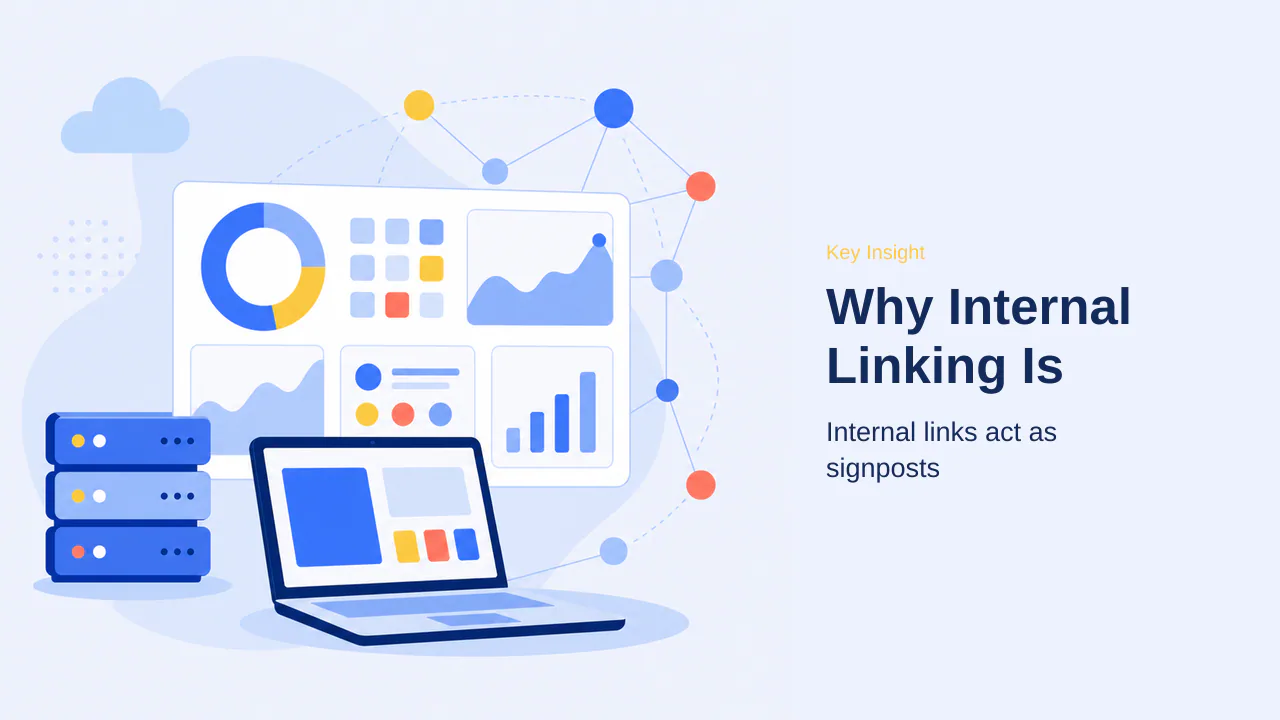
Internal linking serves as the foundational architecture for any successful website. By strategically connecting your content, you create a clear roadmap that guides both human visitors and search engine crawlers through your site. Internal links pass authority between pages, effectively distributing the ranking power of your high-traffic articles to newer or less visible content.
Many site owners inadvertently create orphaned pages—content that lacks any internal links pointing to it. These pages are notoriously difficult for search engines to discover and index, often resulting in poor search performance regardless of the quality of the writing. By establishing a consistent linking habit, you ensure that no piece of content remains isolated.
Beyond technical SEO benefits, internal linking is a powerful tool for engagement. When you provide relevant links to related articles, you encourage readers to explore further, which leads to longer session durations. These metrics signal to Google that your content provides genuine value, which can contribute to higher search rankings over time. As your content library expands, managing these connections manually becomes increasingly difficult, necessitating the use of specialized automation tools to maintain a healthy, interconnected site structure.
Note: Automation tools act as a persistent maintenance layer, scanning your archives to identify broken links or outdated references that might otherwise degrade the user experience and frustrate search engine crawlers.
As your content library expands, managing these connections manually becomes increasingly difficult, necessitating the use of specialized automation tools to maintain a healthy, interconnected site structure. These tools act as a persistent maintenance layer, scanning your archives to identify broken links or outdated references that might otherwise degrade the user experience and frustrate search engine crawlers. By automating the discovery of linking opportunities, you ensure that your site architecture remains fluid and responsive to new content additions without requiring constant manual oversight.
Furthermore, automation tools provide a centralized dashboard for tracking link distribution across your entire domain. This visibility is vital for identifying which pages are receiving the most internal traffic and which are being neglected. By leveraging these insights, you can strategically funnel authority to your most important pages, such as product landing pages or pillar content, ensuring they receive the ranking power they deserve. This data-driven approach removes the guesswork from your SEO strategy, allowing you to focus on creating high-quality content while the plugin handles the technical heavy lifting of maintaining a robust link network.
Ultimately, the goal of these tools is to create a sustainable linking habit that scales with your site. Whether you are managing a small blog or a large-scale publication, the ability to identify orphan pages, fix broken links, and suggest relevant connections in real-time transforms internal linking from a tedious chore into a powerful growth engine. By integrating these solutions into your workflow, you align your site structure with the signals search engines value most, paving the way for long-term visibility and improved user engagement. This proactive maintenance ensures that your site remains a well-connected, authoritative resource for your audience, regardless of how much content you publish over time.
How to Choose the Right Internal Linking Tool
Selecting a plugin requires looking beyond marketing claims to evaluate real-world performance on established sites. While many tools promise to automate your link building, the most effective solutions prioritize accuracy and site health over sheer volume. Choosing the right tool depends on how your content is structured and how much manual control you prefer to maintain.
Suggestion Accuracy and Workflow
A good internal linking plugin should find relevant URLs that you might have missed yourself. Suggestion accuracy is critical for relevant linking, as random keyword matches can frustrate readers and dilute your site’s topical authority. Prioritize tools that scan your site automatically and show suggestions directly inside the WordPress editor while you’re writing, as this integrates link building into your natural content creation workflow.
Orphan Page Detection and Bulk Tools
Orphan pages are posts that have zero internal links pointing to them, making them nearly invisible to search engines. Plugins should identify orphan pages automatically, allowing you to bridge these gaps from a centralized dashboard. For sites with hundreds of posts, look for bulk linking features that allow you to update URLs or insert links across your entire archive in minutes rather than hours.
Compatibility and Performance
Tools must not cause site lag or conflict with themes, as a slow site can negate the SEO benefits of better linking. Before committing to a plugin, verify that it plays nicely with your existing SEO suite and page builders. Monitor your site’s speed after installation to ensure the plugin doesn’t introduce noticeable latency or technical conflicts that could impact the user experience.
- Verify the plugin identifies orphan pages automatically.
- Prioritize tools that offer in-editor suggestions for better workflow.
- Check for bulk update capabilities to manage large archives.
- Ensure the tool integrates with your current SEO plugin.
- Test for performance impact on your specific theme.
Note: Always back up your database before running bulk link updates to prevent irreversible data loss.
AIOSEO Link Assistant: The All-in-One Toolkit
AIOSEO Link Assistant is a powerful internal linking module built directly into All in One SEO, a popular plugin used on more than 3 million WordPress websites. It earns its place as a top-tier choice by solving the common problem of tool fragmentation. Instead of managing separate plugins for link suggestions, schema markup, and keyword tracking, users can consolidate these tasks within a single interface.
The core of the tool is its comprehensive Overview dashboard, which provides an immediate look at your site’s internal versus external link counts. This visibility is essential for maintaining a healthy site structure, as it highlights orphaned content—posts that currently lack any internal links—allowing you to bridge those gaps quickly. By identifying these hidden pages, you ensure that search engines can discover and index your entire content library effectively.
The feature set is designed to streamline the workflow for both beginners and experienced site owners:
- Automated Site Crawling: The plugin scans your entire site to generate a full link inventory without requiring manual setup.
- Orphan Page Detection: It highlights posts with zero inbound links, making them easy to find and fix directly from the dashboard.
- Detailed Link Reporting: You can track internal, external, and affiliate links separately, which is particularly useful for bloggers monitoring high-value content.
- One-Click Suggestions: Link opportunities appear in a clean interface with an Accept button, removing the need to toggle between the plugin dashboard and the WordPress block editor.
It is important to note that the Link Assistant feature is available in the Pro plan and higher. While AIOSEO is highly effective for users working within the standard WordPress block editor, those relying heavily on specific page builders like Elementor may find the suggestion accuracy varies. For most users, however, the ability to manage linking alongside broader SEO tasks makes it a highly efficient choice for growing sites.
Beyond the core dashboard, the plugin simplifies the maintenance of site architecture by allowing users to manage link health without leaving the WordPress environment. This capability is particularly valuable for site owners who manage large archives and need to ensure that their internal linking structure remains consistent as new content is published. By automating the identification of orphaned pages, the tool removes the manual burden of auditing individual posts, which is a common bottleneck for growing websites.
The integration of link management within the broader AIOSEO suite ensures that site owners can maintain a cohesive SEO strategy. Instead of relying on disparate tools that may conflict or require separate configurations, users benefit from a unified interface that correlates link data with other essential SEO metrics. This consolidation helps in prioritizing which pages require additional inbound links to improve their search visibility, effectively turning link management into a proactive part of the content creation workflow. For those managing affiliate or high-value content, the ability to track these links separately provides granular control over site authority distribution, ensuring that key pages receive the necessary support to perform well in search results.
While the tool is highly effective for standard WordPress setups, its reliance on the block editor ensures a smooth experience for the majority of users. The automated crawl process provides an immediate inventory, allowing for quick identification of gaps in site structure. This data-driven approach to internal linking helps maintain a healthy site hierarchy, which is essential for both user navigation and search engine indexing. By focusing on these automated insights, site owners can spend less time on manual audits and more time creating high-quality content that resonates with their audience.
MonsterInsights: Data-Driven Related Content

MonsterInsights functions as a powerful Google Analytics plugin that connects your site to Google Analytics 4, providing detailed traffic data directly within the WordPress dashboard. Unlike traditional tools that rely on static keyword mapping, MonsterInsights uses real visitor behavior to highlight your best-performing content through dynamic widgets.
Automated Popular Posts Widgets
The Popular Posts feature allows you to promote trending content automatically across your site. It includes 20+ templates for related posts that can be embedded in articles, sidebars, or after-post blocks. Once configured, these widgets refresh automatically as traffic patterns shift, ensuring your most relevant content remains visible to readers without manual intervention. This automation keeps your audience engaged by surfacing high-traffic articles based on actual visitor interest.
Leveraging Publisher Reports
The plugin integrates with the Publisher Report to identify your top landing pages. By analyzing which articles attract the most traffic, you can strategically place Popular Posts widgets on these high-value pages to funnel authority toward newer or less-visited content. Note: Access to the Popular Posts feature requires a Plus plan or higher. This data-driven approach ensures your internal linking strategy is backed by actual performance metrics rather than guesswork.
Beyond simple automation, these data-driven widgets serve as a foundational element for listicle-heavy sites. By surfacing content that aligns with current visitor interests, you transform static archives into dynamic content hubs. This strategy is particularly effective for publishers who manage large libraries of evergreen articles, as it ensures that high-value pages continue to receive traffic long after their initial publication date.
When you combine these widgets with a structured internal linking plan, you create a self-reinforcing loop of engagement. The Popular Posts module acts as a persistent discovery engine, guiding readers toward your most authoritative content. This reduces bounce rates and encourages deeper exploration of your site architecture. For listicle-heavy sites, this means your most comprehensive guides gain visibility automatically, effectively funneling authority to the pages that matter most for your search rankings.
Implementing this approach requires a clear understanding of your site’s traffic flow. By reviewing the Publisher Report, you can identify which landing pages serve as the primary entry points for your audience. Placing Popular Posts widgets on these high-traffic pages maximizes their impact, ensuring that new visitors are immediately presented with your best-performing content. This data-backed placement is far more effective than manual linking, as it adapts to changing trends and seasonal shifts in reader behavior without requiring constant updates from your team.
Ultimately, this approach allows you to scale your internal linking efforts without the overhead of manual management. As your site grows, the automated nature of these widgets ensures that your internal link profile remains relevant and optimized for current traffic patterns. This creates a sustainable growth strategy that leverages real-world data to improve user experience and search engine visibility simultaneously, providing a significant advantage for content-rich websites looking to maximize their existing assets.
WP Tasty Roundups: Building Link Hubs
For site owners looking to organize their archives, WP Tasty Roundups offers a specialized approach to internal linking. Instead of relying on individual text links, this plugin transforms your existing articles into structured listicles. By grouping related content into a single, organized guide, you create a dedicated link hub that passes authority to older, potentially overlooked posts.
The plugin automates the creation of ‘best of’ style posts, which are highly effective for both user engagement and search engine discovery. When you build these roundups, the plugin automatically embeds JSON-LD structured data, helping search engines interpret your list content as a cohesive resource. This technical optimization ensures that the authority of your roundup page is effectively distributed to every entry within the list.
Every roundup entry creates a new internal link, which helps refresh the flow of link equity through your older content. Because the plugin pulls titles, images, and descriptions directly from your existing posts, you can construct these hubs in minutes without manual copying or formatting. This strategy is particularly useful for affiliate sites, review blogs, or any content-heavy archive where individual posts have become isolated over time.
By turning your scattered articles into curated lists, you provide a clearer path for readers to explore your site, which naturally increases session duration. This structural organization helps search engines identify your topical expertise, effectively turning a collection of individual posts into a cohesive content hub. For bloggers who frequently publish listicles, this plugin simplifies the process of maintaining a well-connected site architecture.
Internal Link Juicer: Keyword-Based Automation
For site owners managing large archives, manual linking is often unsustainable. Internal Link Juicer offers a “set it and forget it” approach by mapping specific keywords to target URLs, automatically injecting links across your content as you publish. This automation ensures that your most important pages receive consistent internal signals without requiring you to revisit old posts.
Anchor Text Gap Management
A common risk with automated linking is over-optimization, where using the exact same anchor text repeatedly can appear unnatural to search engines. Internal Link Juicer mitigates this through an anchor text gap management system. By rotating through a variety of phrases mapped to a single URL, the plugin maintains a natural link profile that aligns with standard SEO best practices.
Exclusion Controls
Precision is essential when automating site-wide changes. The plugin provides robust whitelist and blacklist controls, allowing you to prevent links from appearing on specific pages, such as contact forms, privacy policies, or checkout flows. You can also exclude specific HTML tags or headlines from the auto-linking process, ensuring that your automated links only appear where they provide genuine value to the reader.
By combining keyword-to-link mapping with these granular exclusion settings, the tool provides a scalable way to distribute authority across your site. While it lacks the semantic intelligence of AI-based alternatives, its efficiency in handling large-scale link distribution makes it a staple for content-heavy websites.
- Maps keywords to target URLs for automated link injection.
- Uses gap management to rotate anchor text and prevent over-optimization.
- Provides whitelist and blacklist controls for page-level exclusion.
- Includes a centralized dashboard for tracking link distribution.
- Features a post-list link counter to identify pages needing inbound signals.
- Offers filters and hooks for custom link rendering and configuration.
Yoast SEO: In-Editor Linking Suggestions
For those who prefer a curated, manual approach to link building, Yoast SEO Premium integrates linking suggestions directly into the WordPress editor. Rather than relying on automated keyword-to-link mapping, this tool encourages natural link building as you write by analyzing your content in real-time.
When you set a focus keyword for your post, the plugin analyzes your existing library to identify relevant articles that would benefit from an internal link. These suggestions appear conveniently in the editor sidebar, allowing you to review and insert them without leaving your writing workflow. This keeps the process focused and intentional, ensuring that every link added serves a clear purpose for the reader.
Beyond active writing, Yoast SEO Premium offers an orphan content workout. This feature systematically guides you through posts that currently lack any inbound links, helping you identify and fix isolated pages that might otherwise struggle to rank. By marking specific pages as cornerstone content, you can further signal to the plugin which articles should receive the most internal attention, helping you funnel authority to your most important pages.
It is important to note that Yoast SEO Premium does not provide keyword-based auto-linking. If you are looking for a “set it and forget it” solution that inserts links automatically across your site, you may find the manual nature of these suggestions to be a limitation. However, for site owners who want to maintain full control over their anchor text and link placement, this in-editor approach provides a reliable way to build a cohesive site structure over time.
For users managing larger archives, the manual nature of these suggestions can be balanced by establishing a consistent content audit rhythm. While Yoast SEO Premium does not automate the insertion of links, its focus on intentional placement ensures that your internal structure remains logical and user-focused. This prevents the common pitfall of over-optimization, where automated tools might inadvertently create spammy or irrelevant connections that confuse search engines.
By regularly reviewing the orphan content workout, you can systematically reduce the number of isolated pages on your site. This process turns internal linking into a sustainable maintenance habit rather than a one-time setup task. Over time, this disciplined approach helps funnel authority to your most important pages, ensuring that your site architecture grows in a way that aligns with your long-term SEO goals. This manual control is particularly valuable for niche sites where contextual relevance is paramount and automated keyword matching might miss the nuance of your specific topic.
Rank Math: Bulk Internal Link Audits
For site owners managing large content archives, manual link maintenance is rarely feasible. Rank Math addresses this by integrating a comprehensive SEO suite with specialized tools for bulk management. This approach allows users to audit site structure and execute updates across hundreds of posts from a single, centralized dashboard.
Bulk Link Changer
The bulk link changer is a standout feature for site migrations or structural changes. Instead of manually editing individual posts, users can enter old URLs and their replacements to update every mention across the entire site. This automation saves significant time during site restructures, ensuring that internal links remain functional without the risk of broken 404 errors. By maintaining link integrity, site owners protect the authority passed between pages, which is essential for consistent search performance.
AI Link Genius Module
The AI Link Genius module provides a data-driven approach to internal linking. It scans the entire site to record internal and external link counts, identifying broken links and orphaned posts that lack inbound connections. This proactive auditing helps surface isolated content that would otherwise remain invisible to search engines. By mapping specific keywords to target pages, the module prompts users to add relevant internal links directly inside the editor as they write. Note: Advanced features like AI Link Genius and bulk auditing tools require a premium plan, making this a strategic investment for established sites requiring deep structural optimization.
Beyond the core auditing features, Rank Math provides granular control over how links are managed across your entire content library. The plugin allows for the export of comprehensive link reports into CSV, Excel, and JSON formats, which is particularly useful for site owners who prefer to review their site architecture in external spreadsheet software. This data-driven visibility ensures that you can identify patterns in your internal linking distribution and spot pages that are currently under-leveraged.
The keyword mapping functionality serves as a strategic layer for your content planning. By assigning specific focus keywords to your most important pages, you create a persistent target for the plugin’s internal linking engine. As you draft new content, Rank Math monitors your text for these keywords and proactively suggests links to your pillar pages. This workflow helps maintain a consistent topical authority structure without requiring you to manually search your archives for relevant opportunities every time you hit publish.
For those managing large-scale migrations or site restructures, the bulk link changer is a critical time-saver. Instead of relying on manual redirects or individual post edits, you can define global rules to update legacy URLs to their new destinations across the entire database. This capability mitigates the risk of broken 404 errors that often follow structural changes, ensuring that your site’s link equity remains intact. While the module-heavy interface may require a brief adjustment period for those accustomed to simpler tools, the depth of control provided makes it a powerful asset for established sites. By centralizing these complex tasks, Rank Math allows you to focus on content creation while the plugin handles the technical maintenance of your internal link network.
Link Whisper: AI-Powered Semantic Linking
Link Whisper distinguishes itself by utilizing AI-powered semantic analysis to understand the context of your content. Unlike plugins that rely strictly on exact keyword matches, this tool evaluates the meaning of your sentences to provide highly relevant internal link suggestions. This approach often uncovers connections between articles that share a topic but lack identical phrasing, helping you build a more cohesive site structure.
Key considerations for Link Whisper: AI-Powered Semantic Linking
The plugin excels at identifying orphaned content, which are posts that currently lack any internal links pointing to them. By automatically scanning your site, it generates a list of these isolated pages and provides actionable suggestions to integrate them into your existing content. This feature is particularly useful for site owners with large archives who struggle to maintain visibility for older, high-value posts.
- Uses semantic analysis to suggest contextually relevant links.
- Includes a dedicated orphan page finder to identify isolated content.
- Provides detailed link health reports to monitor site structure.
- Offers auto-linking features to insert links based on specific keywords.
- Allows for bulk URL updates to manage site restructures efficiently.
Practical checks for Link Whisper: AI-Powered Semantic Linking
While the plugin offers a free version, the most advanced automation features are reserved for premium plans. Specifically, the auto-linking functionality, which allows you to map keywords to URLs for automatic insertion across your site, is limited to paid tiers. Before committing, consider that the initial AI scan on very large sites may take a few minutes to complete as it processes your entire content library.
Beyond its core semantic analysis, Link Whisper provides a robust suite of bulk management tools that simplify site maintenance. If you decide to restructure your content or update your URL slugs, the bulk link changer allows you to modify every instance of a specific link across your entire archive in seconds. This capability is essential for preventing the accumulation of 404 errors that often occur when content is reorganized or moved to new categories.
The plugin also includes a detailed link health report that monitors your site structure for broken links and other potential issues. By proactively identifying these errors, you can maintain a clean link profile that signals reliability to search engines. For site owners managing large content libraries, the ability to export link data to CSV or Excel provides a clear overview of your internal linking distribution, making it easier to identify which pages are receiving the most authority and which ones require more inbound support.
When implementing these features, consider the impact on your site’s performance. The initial AI scan processes your entire content library to build its semantic map, which may cause a temporary increase in server load on very large sites. Once the initial index is complete, the plugin operates efficiently in the background. To maximize the effectiveness of these tools, it is recommended to review your link suggestions periodically rather than relying solely on automated insertions. This ensures that the links added to your content remain contextually relevant and provide genuine value to your readers, aligning your site structure with user intent and search engine signals. By combining these automated insights with a consistent manual review process, you can build a sustainable internal linking habit that supports long-term growth and improves the discoverability of your most important content.
Frequently Asked Questions About Internal Linking
Can I use multiple plugins together?
In most cases, you can combine tools that serve different purposes, such as pairing an AI-powered suggestion tool with a data-driven widget for related posts. However, avoid running two all-in-one SEO plugins simultaneously. Plugins like AIOSEO and Rank Math both contain deep internal linking modules; using them together often causes technical conflicts, dashboard lag, and conflicting link reports. If you have two tools attempting to auto-link the same keywords, they will fight for control, potentially leading to over-optimization issues that search engines may flag.
How many links per post?
While there is no single magic number, most SEO experts recommend 3 to 5 relevant internal links per article. The ideal volume depends on the length of your content, the depth of the topic, and the number of related resources available on your site. Always prioritize user experience over quantity; every link should be genuinely useful to the reader. Use descriptive anchor text to help both visitors and search engines understand the destination page’s value.
Do I still need an SEO plugin?
Yes. Specialist linking tools like Link Whisper or Internal Link Juicer focus exclusively on your internal link structure. They do not replace the broader functionality of a full SEO plugin, which handles essential tasks like schema markup, site auditing, and meta tag management. A specialist linking tool is a supplement to, not a replacement for, your primary SEO suite.
Building a consistent linking habit is the most effective way to ensure your site architecture remains healthy as your content library expands. Start by auditing your most important pillar pages to ensure they have strong, descriptive links pointing to them from your newer, supporting articles. This practice reinforces the topical authority of your core content and helps search engines understand the hierarchy of your site. If you find the process of manual linking tedious, consider integrating one of the specialized tools mentioned earlier to automate the discovery of relevant opportunities while you write.
Remember that internal linking is not a one-time setup task but an ongoing maintenance process. As you publish new content, make it a standard part of your workflow to look for at least three existing articles that could benefit from a link to your latest post. This simple habit prevents the accumulation of orphan pages and keeps your site traffic flowing naturally between related topics. Over time, these small, deliberate actions compound, creating a well-connected web of content that rewards both your readers with better navigation and search engines with clearer context.
If you are feeling overwhelmed by the technical side of SEO, focus first on the user experience. Ask yourself if a link would genuinely help a reader learn more about the topic at hand. If the answer is yes, add it. By prioritizing the reader’s journey, you naturally align your site structure with the signals that search engines value most. Start small, stay consistent, and let your internal link profile grow alongside your content. With the right tools and a clear strategy, you can transform your site from a collection of isolated posts into a cohesive, authoritative resource that continues to perform for years to come.
Selecting an internal linking plugin is less about finding the most feature-heavy tool and more about matching your current workflow to the right level of automation. If you already rely on a comprehensive SEO suite, tools like AIOSEO, Yoast SEO, or Rank Math often provide the necessary functionality to audit your site and suggest links without adding extra bloat. These options are ideal for maintaining a clean, manageable site structure while you focus on content creation.
For sites that require more specialized control, dedicated plugins offer distinct advantages. MonsterInsights excels at using real visitor data to promote trending content, while WP Tasty Roundups turns your existing articles into structured hubs that naturally pass authority. If your priority is a hands-off, keyword-based approach, Internal Link Juicer provides a reliable way to automate connections across your archives. Meanwhile, Link Whisper stands out for its semantic analysis, which helps identify relevant links that might escape simpler keyword-matching algorithms.
The most important step is to start building a consistent linking habit. Aim for three to five relevant links per article to keep your content interconnected and accessible. Avoid the temptation to run multiple all-in-one SEO plugins simultaneously, as this often leads to performance conflicts and redundant data. Instead, choose one primary SEO plugin and supplement it with a specialized tool if your site’s scale demands deeper auditing or automated management. By focusing on relevance and user experience, you ensure that your internal links serve as a genuine asset rather than just another technical task. As your site continues to evolve, these tools will remain essential for maintaining the authority and visibility of your content, turning isolated pages into a powerful, integrated resource for your readers.